RingDotNet
Call any .NET class from Ring with simple syntax. Build Windows Forms and WPF programs, web servers with ASP.NET Core, and databases with Entity Framework — all in Ring.
122Namespaces
6,053Wrapped classes
34Forms samples
10WPF samples
103Avalonia programs
45Applications
60Test files
A first taste#
load "dotnet.ring"

using {
	"System"
	"System.Text"
}

oSB = new StringBuilder("Hello")
oSB.Append(", ").Append("Ring!")
? oSB.ToString()                   # Hello, Ring!
? oSB.Length                       # 12

? new Math().Max(3,9)              # 9
? new Math().Sqrt(144)             # 12
The classes are real Ring classes with the same method names as the .NET ones — like RingQt for Qt — so code completion, inheritance and ordinary Ring syntax just work. There is no eval and no string-based dispatch in your code.
What is inside#
🎓
TutorialsStep-by-step lessons, grouped by topic: text, numbers, files, networking, security, databases, windows and more. Each one has a program with its real output.
🔌
Simple syntaxoObj.Method(), oObj.Property = x, enums as strings, events with setClickEvent().
📚
The class libraryStrings, dates, files, regex, networking, crypto, XML, JSON, reflection, LINQ and more.
🔁
Callbacks and eventsPass Ring code wherever .NET expects a delegate, as RingQt does with events.
🪟
Windows FormsAll controls wrapped, plus short helpers: uiForm(), uiButton(), UiCanvas for drawing.
🎨
WPFWindows, XAML, data binding, shapes, brushes and animation.
🌐
ASP.NET CoreA Kestrel web server whose routes are Ring functions. JSON in one call.
🗄️
Entity Framework CoreTables, relations, migrations, queries as expression trees, typed entities.
📖
Class referenceEvery wrapped class: constructors, properties, methods with their Ring calls, events — 6,053 types.
📦
Your own assembliesWrap any DLL or NuGet package with one command and use it like the built-in classes: Excel, PDF, pictures, QR codes, databases and more.
🎮
43 applicationsCalculator, Notepad, Paint, Tetris, Sudoku, Minesweeper and more — each tests itself.
See it running#
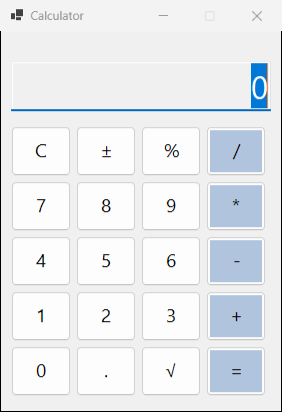
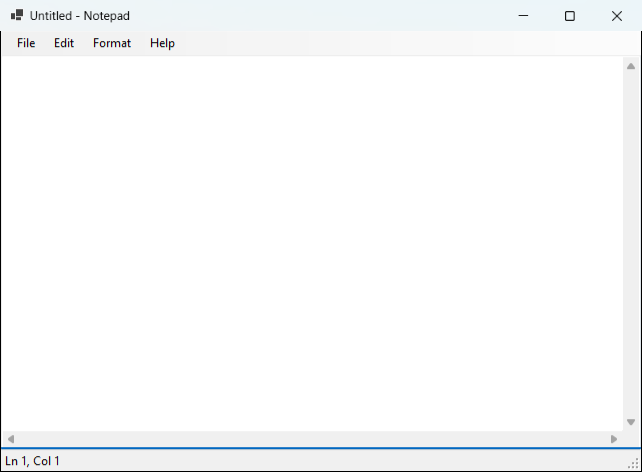
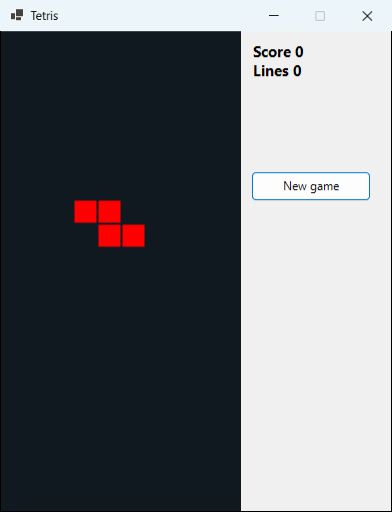
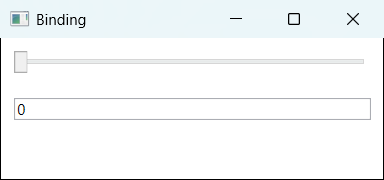
How the documentation is organized#
| Part | What it is for |
|---|---|
| Start | Overview, Getting started (install, first program, the startup modes) and How it works |
| Tutorials | learning by building programs. They are grouped into chapters by topic (the basics, text and data formats, numbers and dates, collections, files, processes, networking, security, databases, Windows Forms, WPF, projects, libraries and release). Read The basics first; then take the chapter you need |
| Guides | how each area works and which functions and classes it has: the language bridge (Core concepts first, then Advanced .NET types when a library needs generics, operators, spans or pointers), desktop programs, web and data, extending |
| Testing and limits | how the package is tested, and the rules and limits to read before a long program |
| More Packages | larger examples with packages: the machine learning chess end game and Avalonia, a cross platform GUI library, with its samples and applications |
| Reference | the function index and the class reference with every wrapped class |
| Appendix | a quick introduction to Ring, for readers who are new to the language |
How the package is organized#
| Folder | Contents |
|---|---|
bin/ | ring_dotnet.dll (the C extension), the managed bridge, ASP.NET and EF assemblies |
libraries/dotnetlib/ | The Ring library: functions, the generated wrapper classes, GUI/WPF/web/data helpers |
extensions/ringdotnet/ | C source of the extension and C# source of the bridge, web server and data layer |
samples/UsingDotNet/tutorials/ | The program of each tutorial, named by chapter (ch01_first_look.ring...) |
samples/UsingDotNet/introduction/ | Short console samples for each area |
samples/UsingDotNet/Forms/ and Wpf/ | One small window program for each feature |
samples/UsingDotNet/applications/ | Complete programs |
samples/UsingDotNet/tests/ | Automated tests (run.sh) |
tools/dotnettools/ | The class generators (gendotnet.ring, wrapassembly.ring), the manifest and the package script |
tools/ring2exe/ | The library that ring2exe uses to give a program that uses .NET to other people |
Tip
New here? Read Getting started, then Core concepts, then the tutorial chapter The basics. Everything after that is a topic you can read in any order.