Applications
Complete desktop programs written in Ring — utilities, games and tools. Many are ports of the RingQt applications. Every one tests itself with --selftest.
Run one: cd samples/UsingDotNet/applications/Calculator then ring Calculator.ring. With ring Calculator.ring --selftest the application drives its own form, checks the results with dnAssert() and prints SELFTEST OK.
Ports of RingQt applications: Calculator, Stopwatch, TicTacToe, FifteenPuzzle, LightsOut, Game2048, MemoryGame, Snake, TowersOfHanoi, AnalogClock, RockPaperScissors, BMICalculator, GameOfLife, Minesweeper, EpochTime, AsciiTable, Calendar, EightQueens, Sudoku, Pong, Tetris, Sokoban, TypingQuiz, JulianDay. The others are new: Notepad, Paint, TodoList, ColorMixer, NumberGuess, Hangman, DiceRoller, UnitConverter, PasswordGenerator, WordCounter, Countdown, LoanCalculator, ImageViewer, LoginForm, TemperatureConverter, FileExplorer, AddressBook, plus the WPF applications WpfCalculator and WpfColorMixer.
Applications that are not windows: samples/UsingDotNet/applications/WebApi (ASP.NET Core) and samples/UsingDotNet/applications/Contacts (Entity Framework).
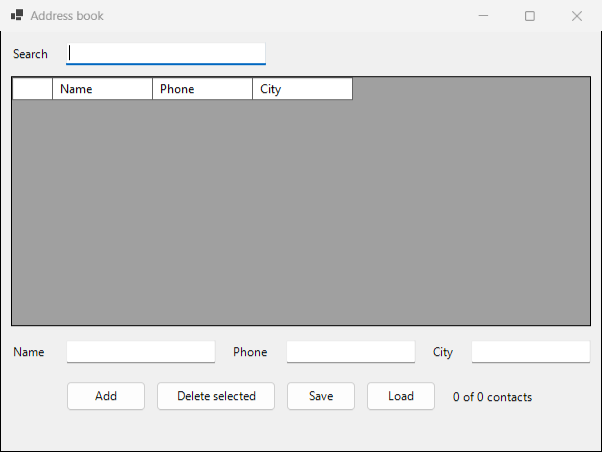
Address Book
Address book - a DataGridView bound to a DataTable, search, edit, delete and save/load as XML
cd samples/UsingDotNet/applications/AddressBook then ring AddressBook.ringSource code
# Address book - a DataGridView bound to a DataTable, search, edit, delete and save/load as XML

load "dotnet.ring"

using {
	"System"
	"System.IO"
	"System.Data"
	"System.Drawing"
	"System.Windows.Forms"
}

cFile = ""
if uiSelfTest()
	cFile = new Path().Combine([new Path().GetTempPath(),"addressbook_selftest.xml"])
else
	cFile = new Path().Combine([new Path().GetTempPath(),"ringdotnet_addressbook.xml"])
ok

oTable = new DataTable()
oTable.TableName = "Contacts"
oTable.Columns.Add([ :columnName = "Name", :type = "System.String" ])
oTable.Columns.Add([ :columnName = "Phone", :type = "System.String" ])
oTable.Columns.Add([ :columnName = "City", :type = "System.String" ])

oForm = uiForm("Address book",600,420)
uiLabel(oForm,"Search",10,14,50,22)
oSearch = uiTextBox(oForm,65,11,200,26)
oSearch.setTextChangedEvent("applyFilter()")
oGrid = new DataGridView() {
	Location = new Point(10,45)
	Size = new Size(580,250)
	AllowUserToAddRows = False
	ReadOnly = True
	SelectionMode = "FullRowSelect"
	DataSource = oTable
}
oForm.Controls.Add(oGrid)
uiLabel(oForm,"Name",10,312,50,22)
oName = uiTextBox(oForm,65,309,150,26)
uiLabel(oForm,"Phone",230,312,50,22)
oPhone = uiTextBox(oForm,285,309,130,26)
uiLabel(oForm,"City",430,312,40,22)
oCity = uiTextBox(oForm,470,309,120,26)
uiButton(oForm,"Add",65,350,80,30,"addContact()")
uiButton(oForm,"Delete selected",155,350,120,30,"deleteSelected()")
uiButton(oForm,"Save",285,350,70,30,"saveBook()")
uiButton(oForm,"Load",365,350,70,30,"loadBook()")
oCount = uiLabel(oForm,"",450,357,140,22)
oMessage = uiLabel(oForm,"",10,392,580,22)
if new File().Exists(cFile) and not uiSelfTest()
	loadBook()
ok
showCount()

uiRun(oForm)

# --------------------------------------------------------------------------

func showCount

	oCount.Text = string(oTable.DefaultView.Count) + " of " + oTable.Rows.Count + " contacts"

func addContact

	if trim(oName.Text) = ""
		return
	ok
	oTable.Rows.Add([trim(oName.Text),trim(oPhone.Text),trim(oCity.Text)])
	oName.Text = ""
	oPhone.Text = ""
	oCity.Text = ""
	showCount()

func deleteSelected

	if oGrid.SelectedRows.Count > 0
		nIndex = oGrid.SelectedRows.Item(0).Index
		oTable.DefaultView.Delete(nIndex)
		showCount()
	ok

func applyFilter

	cText = trim(oSearch.Text)
	if cText = ""
		oTable.DefaultView.RowFilter = ""
	else
		# quotes in the text are doubled for the filter expression
		cText = substr(cText,"'","''")
		oTable.DefaultView.RowFilter = "Name LIKE '%" + cText + "%' OR City LIKE '%" + cText + "%'"
	ok
	showCount()

func saveBook

	try
		oTable.WriteXml(cFile)
		oMessage.Text = "Saved " + oTable.Rows.Count + " contacts to " + cFile
	catch
		oMessage.Text = "Can't save: " + cCatchError
	done

func loadBook

	if not new File().Exists(cFile)
		oMessage.Text = "Nothing to load yet: save the address book first (" + cFile + ")"
		return
	ok
	try
		oTable.Clear()
		oTable.ReadXml(cFile)
		oMessage.Text = "Loaded " + oTable.Rows.Count + " contacts"
	catch
		oMessage.Text = "Can't load: " + cCatchError
	done
	showCount()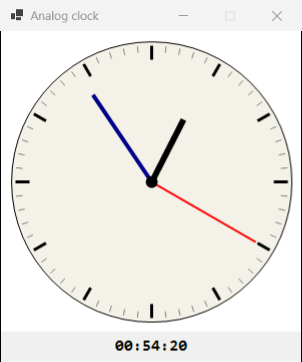
Analog Clock
Analog clock - a port of ring/applications/analogclock to RingDotNet
cd samples/UsingDotNet/applications/AnalogClock then ring AnalogClock.ringSource code
# Analog clock - a port of ring/applications/analogclock to RingDotNet

load "dotnet.ring"

using {
	"System"
	"System.Drawing"
	"System.Windows.Forms"
}

C_CENTER = 150
C_PI = 3.14159265358979

oForm = uiForm("Analog clock",300,330)
oForm {
	FormBorderStyle = "FixedSingle"
	MaximizeBox = False
}
oPicture = uiPictureBox(oForm,0,0,300,300)
oCanvas = new UiCanvas(oPicture)
oDigital = uiLabel(oForm,"",0,302,300,24)
oDigital {
	TextAlign = "MiddleCenter"
	Font = uiFont("Consolas",12,true)
}
oTimer = uiTimer(1000,"tick()")
tick()
oTimer.Start()

uiRun(oForm)

# --------------------------------------------------------------------------

# the end of a hand: nAngle in degrees (0 = 12 o'clock, clockwise)
func handX nAngle, nLength

	return C_CENTER + nLength * sin(nAngle * C_PI / 180)

func handY nAngle, nLength

	return C_CENTER - nLength * cos(nAngle * C_PI / 180)

func drawClock nHour, nMinute, nSecond

	oCanvas.clear("White")
	oCanvas.fillCircle(C_CENTER,C_CENTER,140,"#f4f1e8")
	oCanvas.drawCircle(C_CENTER,C_CENTER,140,"Black")
	for nMark = 0 to 59
		nAngle = nMark * 6
		if nMark % 5 = 0
			oCanvas.line(handX(nAngle,122),handY(nAngle,122),handX(nAngle,136),handY(nAngle,136),"Black",3)
		else
			oCanvas.line(handX(nAngle,130),handY(nAngle,130),handX(nAngle,136),handY(nAngle,136),"Gray",1)
		ok
	next
	nHourAngle = (nHour % 12) * 30 + nMinute * 0.5
	nMinuteAngle = nMinute * 6 + nSecond * 0.1
	nSecondAngle = nSecond * 6
	oCanvas.line(C_CENTER,C_CENTER,handX(nHourAngle,70),handY(nHourAngle,70),"Black",6)
	oCanvas.line(C_CENTER,C_CENTER,handX(nMinuteAngle,105),handY(nMinuteAngle,105),"DarkBlue",4)
	oCanvas.line(C_CENTER,C_CENTER,handX(nSecondAngle,120),handY(nSecondAngle,120),"Red",2)
	oCanvas.fillCircle(C_CENTER,C_CENTER,6,"Black")
	oCanvas.show()

func twoDigits n

	cText = "" + floor(n)
	if len(cText) < 2
		cText = "0" + cText
	ok
	return cText

func tick

	oNow = new DateTime(2000,1,1).Now
	drawClock(oNow.Hour,oNow.Minute,oNow.Second)
	oDigital.Text = twoDigits(oNow.Hour) + ":" + twoDigits(oNow.Minute) + ":" + twoDigits(oNow.Second)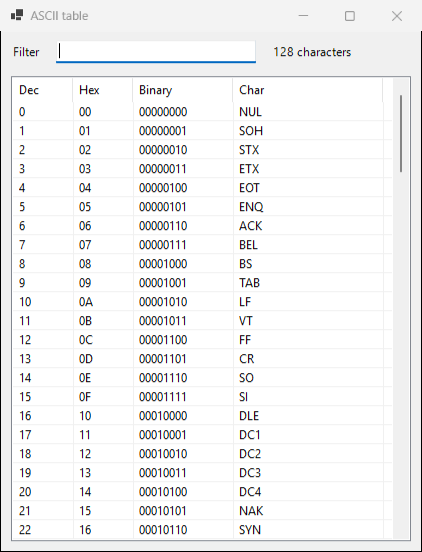
Ascii Table
ASCII table in a ListView with a filter (a port of ring/applications/asciitable)
cd samples/UsingDotNet/applications/AsciiTable then ring AsciiTable.ringSource code
# ASCII table in a ListView with a filter (a port of ring/applications/asciitable)

load "dotnet.ring"

using {
	"System.Drawing"
	"System.Windows.Forms"
}

aNames = ["NUL","SOH","STX","ETX","EOT","ENQ","ACK","BEL","BS","TAB","LF","VT","FF","CR","SO","SI","DLE","DC1","DC2","DC3","DC4","NAK","SYN","ETB","CAN","EM","SUB","ESC","FS","GS","RS","US"]

oForm = uiForm("ASCII table",420,520)
uiLabel(oForm,"Filter",10,12,40,22)
oFilter = uiTextBox(oForm,55,9,200,26)
oCount = uiLabel(oForm,"",270,12,140,22)
oList = new ListView() {
	Location = new Point(10,45)
	Size = new Size(400,465)
	View = "Details"
	FullRowSelect = True
	GridLines = True
}
oList.Columns.Add([ :text = "Dec", :width = 60 ])
oList.Columns.Add([ :text = "Hex", :width = 60 ])
oList.Columns.Add([ :text = "Binary", :width = 100 ])
oList.Columns.Add([ :text = "Char", :width = 150 ])
oForm.Controls.Add(oList)
oFilter.setTextChangedEvent("fillTable()")
fillTable()

uiRun(oForm)

# --------------------------------------------------------------------------

func charName nCode

	if nCode < 32
		return aNames[nCode + 1]
	but nCode = 32
		return "SPACE"
	but nCode = 127
		return "DEL"
	ok
	return char(nCode)

func binary nCode

	cBits = ""
	for nBit = 7 to 0 step -1
		if floor(nCode / pow(2,nBit)) % 2 = 1
			cBits += "1"
		else
			cBits += "0"
		ok
	next
	return cBits

func fillTable

	cFilter = lower(oFilter.Text)
	oList.BeginUpdate()
	oList.Items.Clear()
	nShown = 0
	for nCode = 0 to 127
		cName = charName(nCode)
		cHex = upper(hex(nCode))
		if len(cHex) = 1
			cHex = "0" + cHex
		ok
		cRow = "" + nCode + " " + lower(cHex) + " " + lower(cName)
		if cFilter = "" or substr(cRow,cFilter)
			oItem = new ListViewItem().@New([ :text = "" + nCode ])
			oItem.SubItems.Add(cHex)
			oItem.SubItems.Add(binary(nCode))
			oItem.SubItems.Add(cName)
			oList.Items.Add(oItem)
			nShown++
		ok
	next
	oList.EndUpdate()
	oCount.Text = string(nShown) + " characters"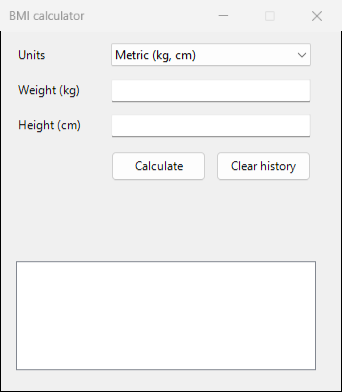
BMICalculator
BMI calculator with history (a port of ring/applications/bmicalculator to RingDotNet)
cd samples/UsingDotNet/applications/BMICalculator then ring BMICalculator.ringSource code
# BMI calculator with history (a port of ring/applications/bmicalculator to RingDotNet)

load "dotnet.ring"

using {
	"System.Drawing"
	"System.Windows.Forms"
}

aHistory = []

oForm = uiForm("BMI calculator",340,360)
oForm {
	FormBorderStyle = "FixedDialog"
	MaximizeBox = False
}
uiLabel(oForm,"Units",15,15,90,24)
oUnits = uiComboBox(oForm,110,12,200,["Metric (kg, cm)","Imperial (lb, in)"])
oWeightLabel = uiLabel(oForm,"Weight (kg)",15,50,90,24)
oWeight = uiTextBox(oForm,110,48,200,26)
oHeightLabel = uiLabel(oForm,"Height (cm)",15,85,90,24)
oHeight = uiTextBox(oForm,110,83,200,26)
uiButton(oForm,"Calculate",110,120,95,30,"calculate()")
uiButton(oForm,"Clear history",215,120,95,30,"oHistory.Items.Clear() aHistory = []")
oBmi = uiLabel(oForm,"",15,160,300,34)
oBmi.Font = uiFont("Segoe UI",16,true)
oCategory = uiLabel(oForm,"",15,195,300,24)
oHistory = uiListBox(oForm,15,230,300,115)
oUnits.setSelectedIndexChangedEvent("unitsChanged()")

uiRun(oForm)

# --------------------------------------------------------------------------

func bmi nKilograms, nMeters

	return nKilograms / (nMeters * nMeters)

func category nBmi

	if nBmi < 18.5
		return "Underweight"
	but nBmi < 25
		return "Normal weight"
	but nBmi < 30
		return "Overweight"
	ok
	return "Obese"

func unitsChanged

	if oUnits.SelectedIndex = 0
		oWeightLabel.Text = "Weight (kg)"
		oHeightLabel.Text = "Height (cm)"
	else
		oWeightLabel.Text = "Weight (lb)"
		oHeightLabel.Text = "Height (in)"
	ok

func calculate

	nWeight = number(oWeight.Text)
	nHeight = number(oHeight.Text)
	if nWeight <= 0 or nHeight <= 0
		oBmi.Text = "Enter a weight and a height"
		oCategory.Text = ""
		return
	but oUnits.SelectedIndex = 0
		nKilograms = nWeight
		nMeters = nHeight / 100
	else
		nKilograms = nWeight * 0.45359237
		nMeters = nHeight * 0.0254
	ok
	nValue = bmi(nKilograms,nMeters)
	oBmi.Text = "BMI " + uiNumber(floor(nValue * 10 + 0.5) / 10)
	oCategory.Text = category(nValue)
	cLine = oBmi.Text + " - " + oCategory.Text
	aHistory + cLine
	oHistory.Items.Insert(0,cLine)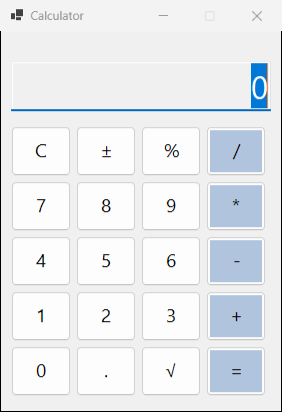
Calculator
Calculator - a port of ring/applications/calculator to RingDotNet (Windows Forms)
cd samples/UsingDotNet/applications/Calculator then ring Calculator.ringSource code
# Calculator - a port of ring/applications/calculator to RingDotNet (Windows Forms)

load "dotnet.ring"

using {
	"System.Drawing"
	"System.Windows.Forms"
}

cDisplay = "0"		# the number being typed or the result
nAccumulator = 0	# the left operand
cOperator = ""		# + - * /
lFresh = true		# the next digit starts a new number
cHistory = ""

oForm = uiForm("Calculator",280,380)
oForm {
	KeyPreview = True
	FormBorderStyle = "FixedSingle"
	MaximizeBox = False
}

oHistory = uiLabel(oForm,"",10,8,260,18)
oHistory {
	TextAlign = "MiddleRight"
	ForeColor = uiColor("Gray")
}

oScreen = uiTextBox(oForm,10,30,260,50)
oScreen {
	ReadOnly = True
	TextAlign = "Right"
	Font = uiFont("Segoe UI",24,false)
	Text = "0"
}

aKeys = [
	["C","±","%","/"],
	["7","8","9","*"],
	["4","5","6","-"],
	["1","2","3","+"],
	["0",".","√","="]
]
for nRow = 1 to len(aKeys)
	for nCol = 1 to 4
		cKey = aKeys[nRow][nCol]
		oButton = uiButton(oForm,cKey,10 + (nCol - 1) * 65,95 + (nRow - 1) * 55,60,50,"press('" + cKey + "')")
		oButton.Font = uiFont("Segoe UI",14,false)
		if find(["/","*","-","+","="],cKey) > 0
			oButton.BackColor = uiColor("LightSteelBlue")
		ok
	next
next

# typing on the keyboard works too: characters arrive in KeyPress, Enter / Escape / Backspace in KeyDown
# (uiInputKeys: a focused button would take Enter and press itself again)
uiInputKeys(oForm)
oForm {
	setKeyPressEvent("keyTyped(aDotNetArgs[2])")
	setKeyDownEvent("specialKey(aDotNetArgs[2])")
}

uiRun(oForm)

# --------------------------------------------------------------------------

func keyTyped oArgs

	cChar = oArgs.KeyChar
	if find(["0","1","2","3","4","5","6","7","8","9",".","+","-","*","/","%"],cChar) > 0
		press(cChar)
		oArgs.Handled = True
	but cChar = "="
		press("=")
		oArgs.Handled = True
	but cChar = "c" or cChar = "C"
		press("C")
		oArgs.Handled = True
	ok

func specialKey oArgs

	cKey = oArgs.KeyCode
	if cKey = "Return" or cKey = "Enter"
		press("=")
	but cKey = "Escape"
		press("C")
	but cKey = "Back"
		backspace()
	else
		return
	ok
	oArgs {
		Handled = True
		SuppressKeyPress = True
	}

func backspace

	if not lFresh and len(cDisplay) > 0
		cDisplay = left(cDisplay,len(cDisplay) - 1)
		if cDisplay = "" or cDisplay = "-"
			cDisplay = "0"
			lFresh = true
		ok
		oScreen.Text = cDisplay
	ok

func press cKey

	if find(["0","1","2","3","4","5","6","7","8","9"],cKey) > 0
		if lFresh
			cDisplay = cKey
			lFresh = false
		but len(cDisplay) < 16
			if cDisplay = "0"
				cDisplay = cKey
			else
				cDisplay += cKey
			ok
		ok
	but cKey = "."
		if lFresh
			cDisplay = "0."
			lFresh = false
		but not substr(cDisplay,".")
			cDisplay += "."
		ok
	but cKey = "C"
		cDisplay = "0"
		nAccumulator = 0
		cOperator = ""
		lFresh = true
		cHistory = ""
	but cKey = "±"
		if cDisplay != "0"
			if left(cDisplay,1) = "-"
				cDisplay = substr(cDisplay,2)
			else
				cDisplay = "-" + cDisplay
			ok
		ok
	but cKey = "%"
		cDisplay = uiNumber(number(cDisplay) / 100)
		lFresh = true
	but cKey = "√"
		if number(cDisplay) < 0
			cDisplay = "Error"
		else
			cDisplay = uiNumber(sqrt(number(cDisplay)))
		ok
		lFresh = true
	but find(["+","-","*","/"],cKey) > 0
		if cOperator != "" and not lFresh
			calculate()
		ok
		nAccumulator = number(cDisplay)
		cOperator = cKey
		cHistory = cDisplay + " " + cKey
		lFresh = true
	but cKey = "="
		if cOperator != ""
			cHistory = uiNumber(nAccumulator) + " " + cOperator + " " + cDisplay + " ="
			calculate()
			cOperator = ""
		ok
	ok
	oScreen.Text = cDisplay
	oHistory.Text = cHistory

func calculate

	nRight = number(cDisplay)
	switch cOperator
	on "+"
		nResult = nAccumulator + nRight
	on "-"
		nResult = nAccumulator - nRight
	on "*"
		nResult = nAccumulator * nRight
	on "/"
		if nRight = 0
			cDisplay = "Cannot divide by zero"
			lFresh = true
			nAccumulator = 0
			cOperator = ""
			return
		ok
		nResult = nAccumulator / nRight
	off
	cDisplay = uiNumber(nResult)
	nAccumulator = nResult
	lFresh = true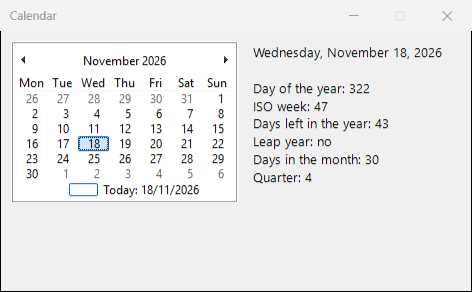
Calendar
Calendar with date facts - MonthCalendar and the .NET date classes (a port of ring/applications/calendar)
cd samples/UsingDotNet/applications/Calendar then ring Calendar.ringSource code
# Calendar with date facts - MonthCalendar and the .NET date classes (a port of ring/applications/calendar)

load "dotnet.ring"

using {
	"System"
	"System.Globalization"
	"System.Drawing"
	"System.Windows.Forms"
}

oForm = uiForm("Calendar",470,260)
oForm {
	FormBorderStyle = "FixedDialog"
	MaximizeBox = False
}
oCalendar = new MonthCalendar() {
	Location = new Point(10,10)
	MaxSelectionCount = 1
	setDateChangedEvent("showFacts()")
}
oForm.Controls.Add(oCalendar)
oFacts = uiLabel(oForm,"",250,12,210,230)
oFacts.Font = uiFont("Segoe UI",10,false)
showFacts()

uiRun(oForm)

# --------------------------------------------------------------------------

func factsOf oDate

	oCulture = new CultureInfo("en-US")
	nYear = oDate.Year
	oEndOfYear = new DateTime(nYear,12,31)
	cText = oDate.Format([ :format = "dddd, MMMM d, yyyy", :provider = oCulture ]) + nl + nl
	cText += "Day of the year: " + oDate.DayOfYear + nl
	cText += "ISO week: " + new ISOWeek().GetWeekOfYear(oDate) + nl
	cText += "Days left in the year: " + floor(oEndOfYear.Subtract(oDate).TotalDays) + nl
	if new DateTime(2000,1,1).IsLeapYear(nYear)
		cText += "Leap year: yes" + nl
	else
		cText += "Leap year: no" + nl
	ok
	cText += "Days in the month: " + new DateTime(2000,1,1).DaysInMonth(nYear,oDate.Month) + nl
	cText += "Quarter: " + (floor((oDate.Month - 1) / 3) + 1)
	return cText

func showFacts

	oFacts.Text = factsOf(oCalendar.SelectionStart)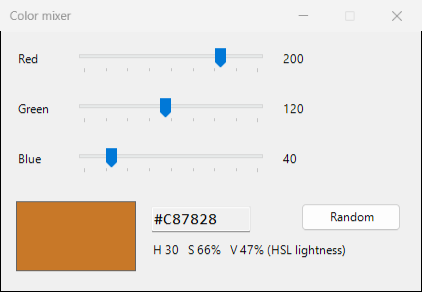
Color Mixer
Color mixer - three track bars, the color, its #RRGGBB code and HSV values
cd samples/UsingDotNet/applications/ColorMixer then ring ColorMixer.ringSource code
# Color mixer - three track bars, the color, its #RRGGBB code and HSV values

load "dotnet.ring"

using {
	"System.Drawing"
	"System.Windows.Forms"
}

aBars = []
aValues = []

oForm = uiForm("Color mixer",420,260)
oForm {
	FormBorderStyle = "FixedDialog"
	MaximizeBox = False
}
nY = 15
for cName in ["Red","Green","Blue"]
	uiLabel(oForm,cName,15,nY + 4,50,22)
	oBar = new TrackBar() {
		Location = new Point(70,nY)
		Size = new Size(200,40)
		Minimum = 0
		Maximum = 255
		TickFrequency = 32
		setScrollEvent("mix()")
		setValueChangedEvent("mix()")
	}
	oForm.Controls.Add(oBar)
	aBars + oBar
	aValues + uiLabel(oForm,"0",280,nY + 4,40,22)
	nY += 50
next
oSwatch = uiPanel(oForm,15,170,120,70)
oSwatch.BorderStyle = "FixedSingle"
oHex = uiTextBox(oForm,150,175,100,26)
oHex {
	ReadOnly = True
	Font = uiFont("Consolas",12,false)
}
oHsv = uiLabel(oForm,"",150,210,250,24)
uiButton(oForm,"Random",300,172,100,28,"randomColor()")
aBars[1].Value = 200
aBars[2].Value = 120
aBars[3].Value = 40

uiRun(oForm)

# --------------------------------------------------------------------------

func hex2 nValue

	cText = upper(hex(nValue))
	if len(cText) < 2
		cText = "0" + cText
	ok
	return cText

func mix

	nRed = aBars[1].Value
	nGreen = aBars[2].Value
	nBlue = aBars[3].Value
	for nIndex = 1 to 3
		aValues[nIndex].Text = "" + aBars[nIndex].Value
	next
	oColor = uiRGB(nRed,nGreen,nBlue)
	oSwatch.BackColor = oColor
	oHex.Text = "#" + hex2(nRed) + hex2(nGreen) + hex2(nBlue)
	oHsv.Text = "H " + floor(oColor.GetHue()) + "   S " + floor(oColor.GetSaturation() * 100) + "%   V " + floor(oColor.GetBrightness() * 100) + "% (HSL lightness)"

func randomColor

	for oBar in aBars
		oBar.Value = random(255)
	next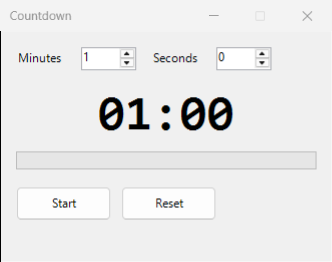
Countdown
Countdown timer with a progress bar (a Windows Forms Timer drives the Ring code)
cd samples/UsingDotNet/applications/Countdown then ring Countdown.ringSource code
# Countdown timer with a progress bar (a Windows Forms Timer drives the Ring code)

load "dotnet.ring"

using {
	"System"
	"System.Diagnostics"
	"System.Threading"
	"System.Drawing"
	"System.Windows.Forms"
}

nTotal = 0		# seconds when the countdown started
nLeft = 0		# seconds left
lRunning = false

oForm = uiForm("Countdown",330,230)
oForm {
	FormBorderStyle = "FixedDialog"
	MaximizeBox = False
}
uiLabel(oForm,"Minutes",15,18,60,22)
oMinutes = new NumericUpDown() {
	Location = new Point(80,16)
	Size = new Size(55,24)
	Maximum = 99
	Value = 1
}
oForm.Controls.Add(oMinutes)
uiLabel(oForm,"Seconds",150,18,60,22)
oSeconds = new NumericUpDown() {
	Location = new Point(215,16)
	Size = new Size(55,24)
	Maximum = 59
}
oForm.Controls.Add(oSeconds)
oDisplay = uiLabel(oForm,"01:00",15,55,300,60)
oDisplay {
	Font = uiFont("Consolas",36,true)
	TextAlign = "MiddleCenter"
}
oBar = new ProgressBar() {
	Location = new Point(15,120)
	Size = new Size(300,18)
	Maximum = 100
}
oForm.Controls.Add(oBar)
oStart = uiButton(oForm,"Start",15,155,95,34,"startStop()")
uiButton(oForm,"Reset",120,155,95,34,"resetTimer()")
oTimer = uiTimer(1000,"tick()")

uiRun(oForm)

# --------------------------------------------------------------------------

func twoDigits n

	cText = "" + floor(n)
	if len(cText) < 2
		cText = "0" + cText
	ok
	return cText

func showTime

	oDisplay.Text = twoDigits(floor(nLeft / 60)) + ":" + twoDigits(nLeft % 60)
	if nTotal > 0
		oBar.Value = floor((nTotal - nLeft) * 100 / nTotal)
	else
		oBar.Value = 0
	ok

func startStop

	if lRunning
		lRunning = false
		oTimer.Stop()
		oStart.Text = "Start"
	else
		if nLeft = 0
			nTotal = number(oMinutes.Value) * 60 + number(oSeconds.Value)
			nLeft = nTotal
		ok
		if nLeft > 0
			lRunning = true
			oTimer.Start()
			oStart.Text = "Pause"
		ok
	ok
	showTime()

func resetTimer

	lRunning = false
	oTimer.Stop()
	oStart.Text = "Start"
	nTotal = number(oMinutes.Value) * 60 + number(oSeconds.Value)
	nLeft = nTotal
	showTime()

func tick

	if nLeft > 0
		nLeft--
	ok
	showTime()
	if nLeft = 0
		lRunning = false
		oTimer.Stop()
		oStart.Text = "Start"
		uiMessage("Time is up!","Countdown")
	ok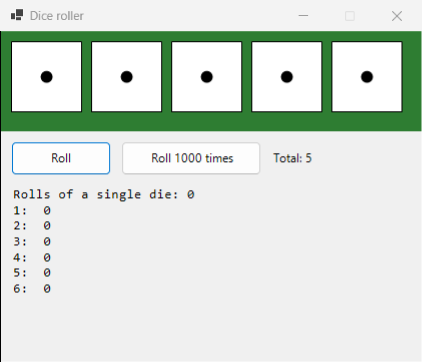
Dice Roller
Dice roller - draws five dice with their pips and keeps statistics
cd samples/UsingDotNet/applications/DiceRoller then ring DiceRoller.ringSource code
# Dice roller - draws five dice with their pips and keeps statistics

load "dotnet.ring"

using {
	"System.Drawing"
	"System.Windows.Forms"
}

C_DICE = 5
aDice = [1,1,1,1,1]
aCounts = list(6)
nRolls = 0

oForm = uiForm("Dice roller",420,330)
oForm {
	FormBorderStyle = "FixedSingle"
	MaximizeBox = False
}
oPicture = uiPictureBox(oForm,0,0,420,100)
oCanvas = new UiCanvas(oPicture)
uiButton(oForm,"Roll",10,110,100,34,"rollAll()")
uiButton(oForm,"Roll 1000 times",120,110,140,34,"rollMany(1000)")
oTotal = uiLabel(oForm,"",270,118,140,24)
oStats = uiLabel(oForm,"",10,155,400,150)
oStats.Font = uiFont("Consolas",10,false)
draw()

uiRun(oForm)

# --------------------------------------------------------------------------

# the pips of a die face: positions in a 3x3 grid
func pips nFace

	switch nFace
	on 1	return [5]
	on 2	return [1,9]
	on 3	return [1,5,9]
	on 4	return [1,3,7,9]
	on 5	return [1,3,5,7,9]
	on 6	return [1,3,4,6,7,9]
	off

func drawDie nIndex, nFace

	nX = 10 + (nIndex - 1) * 80
	oCanvas.fillRect(nX,10,70,70,"White")
	oCanvas.drawRect(nX,10,70,70,"Black")
	aPips = pips(nFace)
	for nPip in aPips
		nRow = floor((nPip - 1) / 3)
		nCol = (nPip - 1) % 3
		oCanvas.fillCircle(nX + 15 + nCol * 20,25 + nRow * 20,6,"Black")
	next

func draw

	oCanvas.clear("#2e7d32")
	for nIndex = 1 to C_DICE
		drawDie(nIndex,aDice[nIndex])
	next
	nSum = 0
	for nFace in aDice
		nSum += nFace
	next
	oTotal.Text = "Total: " + nSum
	cText = "Rolls of a single die: " + nRolls + nl
	for nFace = 1 to 6
		nBar = 0
		if nRolls > 0
			nBar = floor(aCounts[nFace] * 30 / nRolls)
		ok
		cText += string(nFace) + ": " + copy("#",nBar) + " " + aCounts[nFace] + nl
	next
	oStats.Text = cText
	oCanvas.show()

func rollAll

	for nIndex = 1 to C_DICE
		aDice[nIndex] = random(5) + 1
		aCounts[aDice[nIndex]]++
		nRolls++
	next
	draw()

func rollMany nTimes

	for nTime = 1 to nTimes
		nFace = random(5) + 1
		aCounts[nFace]++
		nRolls++
	next
	draw()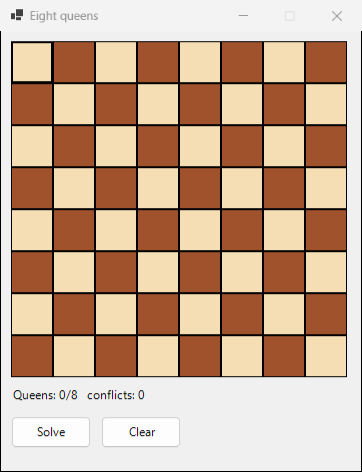
Eight Queens
Eight queens - place 8 queens so that none attacks another (a port of ring/applications/eightqueens) Click a square to put or remove a queen; "Solve" finds a solution with backtracking.
cd samples/UsingDotNet/applications/EightQueens then ring EightQueens.ringSource code
# Eight queens - place 8 queens so that none attacks another (a port of ring/applications/eightqueens)
# Click a square to put or remove a queen; "Solve" finds a solution with backtracking.

load "dotnet.ring"

using {
	"System.Drawing"
	"System.Windows.Forms"
}

C_SIZE = 8
aQueens = list(C_SIZE)	# aQueens[column] = the row of the queen of that column (0 = none)
aSquares = []

oForm = uiForm("Eight queens",360,440)
oForm {
	FormBorderStyle = "FixedSingle"
	MaximizeBox = False
}
for nCell = 1 to C_SIZE * C_SIZE
	nRow = floor((nCell - 1) / C_SIZE) + 1
	nColumn = (nCell - 1) % C_SIZE + 1
	oSquare = uiButton(oForm,"",10 + (nColumn - 1) * 42,10 + (nRow - 1) * 42,42,42,"toggle(" + nRow + "," + nColumn + ")")
	oSquare {
		FlatStyle = "Flat"
		Font = uiFont("Segoe UI",18,true)
	}
	aSquares + oSquare
next
oInfo = uiLabel(oForm,"",10,355,340,24)
uiButton(oForm,"Solve",10,385,80,32,"solveIt()")
uiButton(oForm,"Clear",100,385,80,32,"clearBoard()")
oCount = uiLabel(oForm,"",190,392,160,22)
showBoard()

uiRun(oForm)

# --------------------------------------------------------------------------

func squareOf nRow, nColumn

	return (nRow - 1) * C_SIZE + nColumn

# do two queens (row, column) attack each other
func attacks nRow1, nColumn1, nRow2, nColumn2

	if nRow1 = nRow2 or nColumn1 = nColumn2
		return true
	ok
	return fabs(nRow1 - nRow2) = fabs(nColumn1 - nColumn2)

# the columns whose queen is attacked by another queen
func conflicts

	aBad = list(C_SIZE)
	for nA = 1 to C_SIZE
		for nB = nA + 1 to C_SIZE
			if aQueens[nA] > 0 and aQueens[nB] > 0 and attacks(aQueens[nA],nA,aQueens[nB],nB)
				aBad[nA] = 1
				aBad[nB] = 1
			ok
		next
	next
	return aBad

func showBoard

	aBad = conflicts()
	nPlaced = 0
	for nRow = 1 to C_SIZE
		for nColumn = 1 to C_SIZE
			oSquare = aSquares[squareOf(nRow,nColumn)]
			if (nRow + nColumn) % 2 = 0
				oSquare.BackColor = uiColor("Wheat")
			else
				oSquare.BackColor = uiColor("Sienna")
			ok
			if aQueens[nColumn] = nRow
				oSquare.Text = "Q"
				nPlaced++
				if aBad[nColumn]
					oSquare.ForeColor = uiColor("Red")
				else
					oSquare.ForeColor = uiColor("DarkGreen")
				ok
			else
				oSquare.Text = ""
			ok
		next
	next
	nBad = 0
	for nValue in aBad
		nBad += nValue
	next
	if nPlaced = C_SIZE and nBad = 0
		oInfo.Text = "Solved!"
	else
		oInfo.Text = "Queens: " + nPlaced + "/8   conflicts: " + nBad
	ok

func toggle nRow, nColumn

	if aQueens[nColumn] = nRow
		aQueens[nColumn] = 0
	else
		aQueens[nColumn] = nRow
	ok
	showBoard()

func clearBoard

	aQueens = list(C_SIZE)
	showBoard()

# the number of ways to complete the board from column nColumn (backtracking)
func countSolutions nColumn, aPlaced

	if nColumn > C_SIZE
		return 1
	ok
	nTotal = 0
	for nRow = 1 to C_SIZE
		lSafe = true
		for nBefore = 1 to nColumn - 1
			if attacks(aPlaced[nBefore],nBefore,nRow,nColumn)
				lSafe = false
				exit
			ok
		next
		if lSafe
			aPlaced[nColumn] = nRow
			nTotal += countSolutions(nColumn + 1,aPlaced)
			aPlaced[nColumn] = 0
		ok
	next
	return nTotal

func solveIt

	aQueens = firstSolution()
	showBoard()
	oCount.Text = "92 solutions exist"

# a solution found by backtracking
func firstSolution

	aResult = list(C_SIZE)
	findOne(1,aResult)
	return aResult

func findOne nColumn, aPlaced

	if nColumn > C_SIZE
		return true
	ok
	for nRow = 1 to C_SIZE
		lSafe = true
		for nBefore = 1 to nColumn - 1
			if attacks(aPlaced[nBefore],nBefore,nRow,nColumn)
				lSafe = false
				exit
			ok
		next
		if lSafe
			aPlaced[nColumn] = nRow
			if findOne(nColumn + 1,aPlaced)
				return true
			ok
			aPlaced[nColumn] = 0
		ok
	next
	return false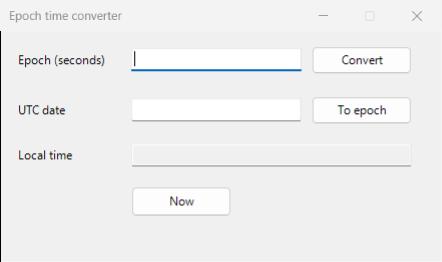
Epoch Time
Epoch (Unix) time converter - both directions, UTC and local time (a port of ring/applications/epochtime)
cd samples/UsingDotNet/applications/EpochTime then ring EpochTime.ringSource code
# Epoch (Unix) time converter - both directions, UTC and local time (a port of ring/applications/epochtime)

load "dotnet.ring"

using {
	"System"
	"System.Globalization"
	"System.Drawing"
	"System.Windows.Forms"
}

C_FORMAT = "yyyy-MM-dd HH:mm:ss"

oForm = uiForm("Epoch time converter",440,230)
oForm {
	FormBorderStyle = "FixedDialog"
	MaximizeBox = False
}
uiLabel(oForm,"Epoch (seconds)",15,20,110,24)
oEpoch = uiTextBox(oForm,130,17,170,26)
uiButton(oForm,"Convert",310,15,100,28,"epochToDate()")
uiLabel(oForm,"UTC date",15,70,110,24)
oUtc = uiTextBox(oForm,130,67,170,26)
uiButton(oForm,"To epoch",310,65,100,28,"dateToEpoch()")
uiLabel(oForm,"Local time",15,115,110,24)
oLocal = uiTextBox(oForm,130,112,280,26)
oLocal.ReadOnly = True
uiButton(oForm,"Now",130,155,100,30,"showNow()")
oMessage = uiLabel(oForm,"",15,195,410,24)
oMessage.ForeColor = uiColor("Firebrick")

uiRun(oForm)

# --------------------------------------------------------------------------

# the epoch (seconds) of a UTC date text, raises an error for invalid text
func epochOf cDateText

	oDate = new DateTimeOffset().Parse([ :input = cDateText, :formatProvider = new CultureInfo("en-US").InvariantCulture, :styles = "AssumeUniversal" ])
	return oDate.ToUnixTimeSeconds()

func dateOf nEpoch

	return new DateTimeOffset().FromUnixTimeSeconds(nEpoch)

func epochToDate

	oMessage.Text = ""
	try
		oDate = dateOf(number(oEpoch.Text))
		oUtc.Text = oDate.UtcDateTime.Format(C_FORMAT)
		oLocal.Text = oDate.LocalDateTime.Format(C_FORMAT)
	catch
		oMessage.Text = "Invalid epoch value"
	done

func dateToEpoch

	oMessage.Text = ""
	try
		nEpoch = epochOf(oUtc.Text)
		oEpoch.Text = "" + floor(nEpoch)
		epochToDate()
	catch
		oMessage.Text = "Invalid date (use yyyy-MM-dd HH:mm:ss)"
	done

func showNow

	# the current time as Unix seconds
	nNow = new DateTimeOffset().UtcNow.ToUnixTimeSeconds()
	oEpoch.Text = "" + floor(nNow)
	epochToDate()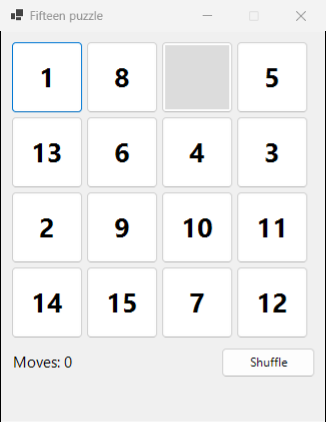
Fifteen Puzzle
Fifteen puzzle (sliding tiles) - a port of ring/applications/fifteenpuzzle to RingDotNet
cd samples/UsingDotNet/applications/FifteenPuzzle then ring FifteenPuzzle.ringSource code
# Fifteen puzzle (sliding tiles) - a port of ring/applications/fifteenpuzzle to RingDotNet

load "dotnet.ring"

using {
	"System.Drawing"
	"System.Windows.Forms"
}

C_SIZE = 4
aTiles = []		# aTiles[cell] = tile number (0 = the empty cell)
aCells = []		# the buttons
nMoves = 0

oForm = uiForm("Fifteen puzzle",324,390)
oForm {
	FormBorderStyle = "FixedSingle"
	MaximizeBox = False
}
for nCell = 1 to C_SIZE * C_SIZE
	nRow = floor((nCell - 1) / C_SIZE)
	nCol = (nCell - 1) % C_SIZE
	oCell = uiButton(oForm,"",10 + nCol * 75,10 + nRow * 75,72,72,"clickCell(" + nCell + ")")
	oCell.Font = uiFont("Segoe UI",20,true)
	aCells + oCell
	aTiles + (nCell % (C_SIZE * C_SIZE))
next
oMoves = uiLabel(oForm,"Moves: 0",10,320,150,24)
oMoves.Font = uiFont("Segoe UI",11,false)
uiButton(oForm,"Shuffle",220,316,94,30,"shuffleBoard()")
oMessage = uiLabel(oForm,"",10,350,300,24)
shuffleBoard()

uiRun(oForm)

# --------------------------------------------------------------------------

func showBoard

	for nCell = 1 to len(aTiles)
		if aTiles[nCell] = 0
			aCells[nCell].Text = ""
			aCells[nCell].BackColor = uiColor("Gainsboro")
		else
			aCells[nCell].Text = "" + aTiles[nCell]
			aCells[nCell].BackColor = uiColor("White")
		ok
	next
	oMoves.Text = "Moves: " + nMoves

func emptyCell

	return find(aTiles,0)

# cells that touch the cell
func neighbors nCell

	aList = []
	nRow = floor((nCell - 1) / C_SIZE)
	nCol = (nCell - 1) % C_SIZE
	if nRow > 0 aList + (nCell - C_SIZE) ok
	if nRow < C_SIZE - 1 aList + (nCell + C_SIZE) ok
	if nCol > 0 aList + (nCell - 1) ok
	if nCol < C_SIZE - 1 aList + (nCell + 1) ok
	return aList

func slideTile nCell

	nEmpty = emptyCell()
	if find(neighbors(nEmpty),nCell) > 0
		aTiles[nEmpty] = aTiles[nCell]
		aTiles[nCell] = 0
		return true
	ok
	return false

func clickCell nCell

	if slideTile(nCell)
		nMoves++
		showBoard()
		if isSolved()
			oMessage.Text = "Solved in " + nMoves + " moves!"
		ok
	ok

func isSolved

	for nCell = 1 to len(aTiles) - 1
		if aTiles[nCell] != nCell
			return false
		ok
	next
	return true

# shuffle with legal moves only, so the puzzle is always solvable
func shuffleBoard

	for nCell = 1 to len(aTiles)
		aTiles[nCell] = nCell % len(aTiles)
	next
	for nStep = 1 to 200
		aNear = neighbors(emptyCell())
		slideTile(aNear[random(len(aNear) - 1) + 1])
	next
	nMoves = 0
	oMessage.Text = ""
	showBoard()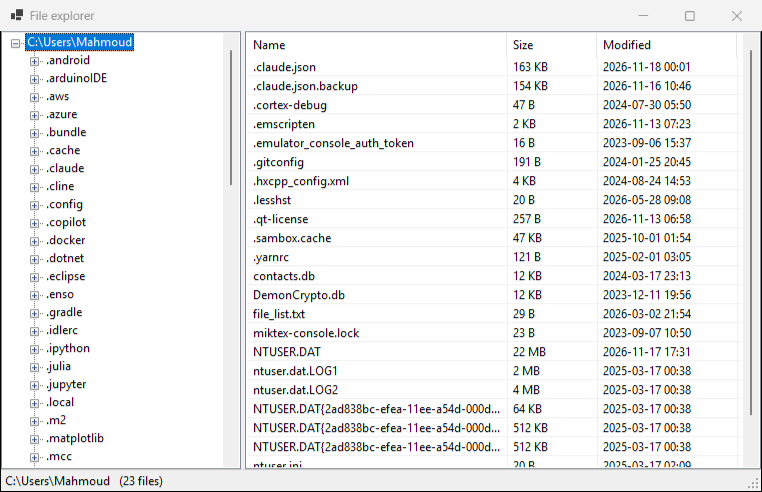
File Explorer
File explorer - a folder tree on the left, the files of the selected folder on the right
cd samples/UsingDotNet/applications/FileExplorer then ring FileExplorer.ringSource code
# File explorer - a folder tree on the left, the files of the selected folder on the right

load "dotnet.ring"

using {
	"System"
	"System.IO"
	"System.Drawing"
	"System.Windows.Forms"
}

cRoot = ""
oForm = uiForm("File explorer",760,460)
oSplit = new SplitContainer()
oSplit.Dock = "Fill"
oForm.Controls.Add(oSplit)
oSplit.SplitterDistance = 240
oTree = new TreeView()
oTree.Dock = "Fill"
oSplit.Panel1.Controls.Add(oTree)
oList = new ListView() {
	Dock = "Fill"
	View = "Details"
	FullRowSelect = True
	GridLines = True
}
oList.Columns.Add([ :text = "Name", :width = 260 ])
oList.Columns.Add([ :text = "Size", :width = 90 ])
oList.Columns.Add([ :text = "Modified", :width = 140 ])
oSplit.Panel2.Controls.Add(oList)
oStatus = new StatusStrip()
oStatusText = new ToolStripStatusLabel()
oStatus.Items.Add(oStatusText)
oForm.Controls.Add(oStatus)
oTree {
	setAfterSelectEvent("showFolder()")
	setBeforeExpandEvent("expandNode(aDotNetArgs[2].Node)")
}

if not uiSelfTest()
	setRoot(new Environment().GetFolderPath("UserProfile"))
ok

uiRun(oForm)

# --------------------------------------------------------------------------

# the tree starts at a folder; its sub folders are loaded when a node is expanded
func setRoot cFolder

	cRoot = cFolder
	oTree.Nodes.Clear()
	oNode = oTree.Nodes.Add(cFolder)
	oNode.Tag = cFolder
	addChildren(oNode)
	oNode.Expand()

func addChildren oNode

	oNode.Nodes.Clear()
	try
		aFolders = new Directory().GetDirectories(oNode.Tag).toList()
		for cFolder in aFolders
			oChild = oNode.Nodes.Add(new Path().GetFileName(cFolder))
			oChild.Tag = cFolder
			# a placeholder child makes the "+" visible
			oChild.Nodes.Add("...")
		next
	catch
		# folders without access are shown empty
	done

func expandNode oNode

	if oNode.Nodes.Count = 1 and oNode.Nodes.Item(0).Text = "..."
		addChildren(oNode)
	ok

func sizeText nBytes

	if nBytes < 1024
		return "" + nBytes + " B"
	but nBytes < 1024 * 1024
		return "" + floor(nBytes / 1024) + " KB"
	ok
	return "" + floor(nBytes / 1048576) + " MB"

func showFolder

	oList.Items.Clear()
	if not isobject(oTree.SelectedNode)
		return
	ok
	cFolder = oTree.SelectedNode.Tag
	nFiles = 0
	try
		aFiles = new Directory().GetFiles(cFolder).toList()
		for cFile in aFiles
			oInfo = new FileInfo(cFile)
			oItem = new ListViewItem().@New([ :text = oInfo.Name ])
			oItem.SubItems.Add(sizeText(oInfo.Length))
			oItem.SubItems.Add(oInfo.LastWriteTime.Format("yyyy-MM-dd HH:mm"))
			oList.Items.Add(oItem)
			nFiles++
		next
	catch
		oStatusText.Text = "Can't read " + cFolder
		return
	done
	oStatusText.Text = cFolder + "   (" + nFiles + " files)"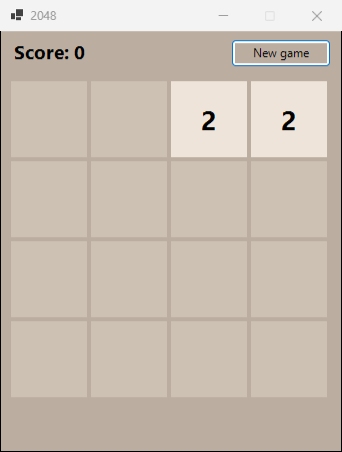
Game2048
2048 - use the arrow keys (a port of ring/applications/game2048 to RingDotNet)
cd samples/UsingDotNet/applications/Game2048 then ring Game2048.ringSource code
# 2048 - use the arrow keys (a port of ring/applications/game2048 to RingDotNet)

load "dotnet.ring"

using {
	"System.Drawing"
	"System.Windows.Forms"
}

C_SIZE = 4
aBoard = list(C_SIZE * C_SIZE)	# 0 = empty
aTileLabels = []
nScore = 0
lGameOver = false

oForm = uiForm("2048",340,420)
oForm {
	KeyPreview = True
	FormBorderStyle = "FixedSingle"
	MaximizeBox = False
	BackColor = uiRGB(187,173,160)
}
oScore = uiLabel(oForm,"Score: 0",10,8,200,28)
oScore {
	Font = uiFont("Segoe UI",14,true)
	BackColor = uiRGB(187,173,160)
}
oNewGame = uiButton(oForm,"New game",230,8,100,28,"newGame()")
for nCell = 1 to C_SIZE * C_SIZE
	nRow = floor((nCell - 1) / C_SIZE)
	nCol = (nCell - 1) % C_SIZE
	oTile = uiLabel(oForm,"",10 + nCol * 80,50 + nRow * 80,76,76)
	oTile {
		TextAlign = "MiddleCenter"
		Font = uiFont("Segoe UI",20,true)
	}
	aTileLabels + oTile
next
uiGameKeys(oForm,"keyPressed(aDotNetArgs[2].KeyCode)")
newGame()

uiRun(oForm)

# --------------------------------------------------------------------------

func tileColor nValue

	switch nValue
	on 0	return uiRGB(205,193,180)
	on 2	return uiRGB(238,228,218)
	on 4	return uiRGB(237,224,200)
	on 8	return uiRGB(242,177,121)
	on 16	return uiRGB(245,149,99)
	on 32	return uiRGB(246,124,95)
	on 64	return uiRGB(246,94,59)
	on 128	return uiRGB(237,207,114)
	on 256	return uiRGB(237,204,97)
	on 512	return uiRGB(237,200,80)
	other	return uiRGB(237,194,46)
	off

func showBoard

	for nCell = 1 to len(aBoard)
		if aBoard[nCell] = 0
			aTileLabels[nCell].Text = ""
		else
			aTileLabels[nCell].Text = "" + aBoard[nCell]
		ok
		aTileLabels[nCell].BackColor = tileColor(aBoard[nCell])
	next
	oScore.Text = "Score: " + nScore

# slide one line to the left: [new line, points gained]
func slideLine aLine

	aKept = []
	for nValue in aLine
		if nValue != 0
			aKept + nValue
		ok
	next
	aOut = []
	nGained = 0
	nIndex = 1
	while nIndex <= len(aKept)
		if nIndex < len(aKept) and aKept[nIndex] = aKept[nIndex + 1]
			aOut + (aKept[nIndex] * 2)
			nGained += aKept[nIndex] * 2
			nIndex += 2
		else
			aOut + aKept[nIndex]
			nIndex++
		ok
	end
	while len(aOut) < len(aLine)
		aOut + 0
	end
	return [aOut,nGained]

# move the whole board: "Left" "Right" "Up" "Down"; true when something moved
func moveBoard cDirection

	lMoved = false
	for nLine = 1 to C_SIZE
		aLine = []
		for nStep = 1 to C_SIZE
			aLine + aBoard[cellIndex(nLine,nStep,cDirection)]
		next
		aResult = slideLine(aLine)
		for nStep = 1 to C_SIZE
			nIndex = cellIndex(nLine,nStep,cDirection)
			if aBoard[nIndex] != aResult[1][nStep]
				lMoved = true
				aBoard[nIndex] = aResult[1][nStep]
			ok
		next
		nScore += aResult[2]
	next
	return lMoved

# the cell that is the nStep-th of line nLine when sliding in cDirection (nStep 1 = the cell the tiles slide to)
func cellIndex nLine, nStep, cDirection

	switch cDirection
	on "Left"
		return (nLine - 1) * C_SIZE + nStep
	on "Right"
		return (nLine - 1) * C_SIZE + (C_SIZE + 1 - nStep)
	on "Up"
		return (nStep - 1) * C_SIZE + nLine
	on "Down"
		return (C_SIZE - nStep) * C_SIZE + nLine
	off

func addRandomTile

	aFree = []
	for nCell = 1 to len(aBoard)
		if aBoard[nCell] = 0
			aFree + nCell
		ok
	next
	if len(aFree) > 0
		if random(9) = 0
			aBoard[aFree[random(len(aFree) - 1) + 1]] = 4
		else
			aBoard[aFree[random(len(aFree) - 1) + 1]] = 2
		ok
	ok

func canMove

	for cDirection in ["Left","Right","Up","Down"]
		aSaved = aBoard
		nSavedScore = nScore
		lPossible = moveBoard(cDirection)
		aBoard = aSaved
		nScore = nSavedScore
		if lPossible
			return true
		ok
	next
	return false

func keyPressed cKey

	if lGameOver or find(["Left","Right","Up","Down"],cKey) = 0
		return
	but moveBoard(cKey)
		addRandomTile()
		if not canMove()
			lGameOver = true
			uiMessage("Game over! Score: " + nScore,"2048")
		ok
	ok
	showBoard()

func newGame

	aBoard = list(C_SIZE * C_SIZE)
	nScore = 0
	lGameOver = false
	addRandomTile()
	addRandomTile()
	showBoard()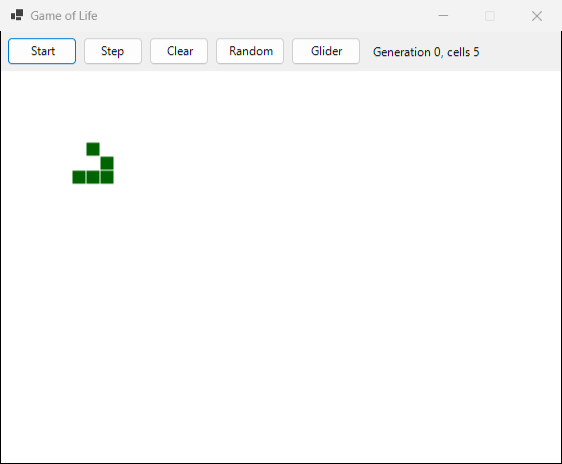
Game Of Life
Conway's Game of Life - click cells to toggle them, Start runs the generations (a port of ring/applications/gameoflife to RingDotNet)
cd samples/UsingDotNet/applications/GameOfLife then ring GameOfLife.ringSource code
# Conway's Game of Life - click cells to toggle them, Start runs the generations
# (a port of ring/applications/gameoflife to RingDotNet)

load "dotnet.ring"

using {
	"System.Drawing"
	"System.Windows.Forms"
}

C_COLUMNS = 40
C_ROWS = 28
C_CELL = 14

aCells = list(C_COLUMNS * C_ROWS)	# 1 = alive
nGeneration = 0

oForm = uiForm("Game of Life",C_COLUMNS * C_CELL,C_ROWS * C_CELL + 40)
oForm {
	FormBorderStyle = "FixedSingle"
	MaximizeBox = False
}
oPicture = uiPictureBox(oForm,0,40,C_COLUMNS * C_CELL,C_ROWS * C_CELL)
oCanvas = new UiCanvas(oPicture)
oPicture.setMouseDownEvent("clickCell(aDotNetArgs[2].X,aDotNetArgs[2].Y)")
oRun = uiButton(oForm,"Start",6,6,70,28,"startStop()")
uiButton(oForm,"Step",82,6,60,28,"nextGeneration()")
uiButton(oForm,"Clear",148,6,60,28,"clearAll()")
uiButton(oForm,"Random",214,6,70,28,"randomFill()")
uiButton(oForm,"Glider",290,6,70,28,"glider()")
oInfo = uiLabel(oForm,"",370,12,180,20)
oTimer = uiTimer(120,"nextGeneration()")
glider()

uiRun(oForm)

# --------------------------------------------------------------------------

func cellIndex nColumn, nRow

	return nRow * C_COLUMNS + nColumn + 1

func isAlive nColumn, nRow

	# the world wraps around
	nColumn = (nColumn + C_COLUMNS) % C_COLUMNS
	nRow = (nRow + C_ROWS) % C_ROWS
	return aCells[cellIndex(nColumn,nRow)]

func countNeighbors nColumn, nRow

	nTotal = 0
	for nDy = -1 to 1
		for nDx = -1 to 1
			if nDx != 0 or nDy != 0
				nTotal += isAlive(nColumn + nDx,nRow + nDy)
			ok
		next
	next
	return nTotal

func nextGeneration

	aNext = list(C_COLUMNS * C_ROWS)
	for nRow = 0 to C_ROWS - 1
		for nColumn = 0 to C_COLUMNS - 1
			nNear = countNeighbors(nColumn,nRow)
			if aCells[cellIndex(nColumn,nRow)]
				aNext[cellIndex(nColumn,nRow)] = (nNear = 2 or nNear = 3)
			else
				aNext[cellIndex(nColumn,nRow)] = (nNear = 3)
			ok
		next
	next
	aCells = aNext
	nGeneration++
	draw()

func population

	nTotal = 0
	for nCell in aCells
		nTotal += nCell
	next
	return nTotal

func draw

	oCanvas.clear("White")
	for nRow = 0 to C_ROWS - 1
		for nColumn = 0 to C_COLUMNS - 1
			if aCells[cellIndex(nColumn,nRow)]
				oCanvas.fillRect(nColumn * C_CELL + 1,nRow * C_CELL + 1,C_CELL - 1,C_CELL - 1,"DarkGreen")
			ok
		next
	next
	oInfo.Text = "Generation " + nGeneration + ", cells " + population()
	oCanvas.show()

func clickCell nMouseX, nMouseY

	nColumn = floor(nMouseX / C_CELL)
	nRow = floor(nMouseY / C_CELL)
	nIndex = cellIndex(nColumn,nRow)
	aCells[nIndex] = not aCells[nIndex]
	draw()

func startStop

	if oRun.Text = "Start"
		oRun.Text = "Stop"
		oTimer.Start()
	else
		oRun.Text = "Start"
		oTimer.Stop()
	ok

func clearAll

	aCells = list(C_COLUMNS * C_ROWS)
	nGeneration = 0
	draw()

func randomFill

	for nCell = 1 to len(aCells)
		aCells[nCell] = (random(3) = 0)
	next
	nGeneration = 0
	draw()

func glider

	aCells = list(C_COLUMNS * C_ROWS)
	for aPoint in [[1,0],[2,1],[0,2],[1,2],[2,2]]
		aCells[cellIndex(aPoint[1] + 5,aPoint[2] + 5)] = 1
	next
	nGeneration = 0
	draw()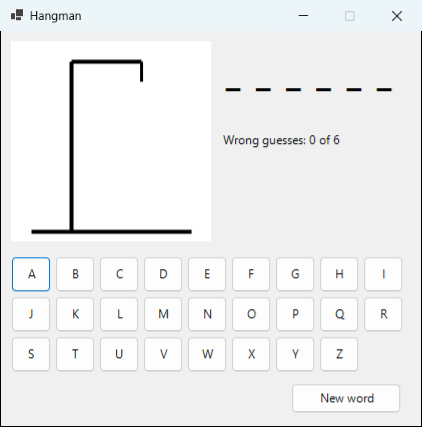
Hangman
Hangman - guess the word letter by letter
cd samples/UsingDotNet/applications/Hangman then ring Hangman.ringSource code
# Hangman - guess the word letter by letter

load "dotnet.ring"

using {
	"System.Drawing"
	"System.Windows.Forms"
}

aWords = ["RING","PROGRAMMING","LANGUAGE","WINDOWS","FORMS","EXTENSION","CALCULATOR","KEYBOARD","DEVELOPER","FUNCTION"]
cWord = ""
cGuessed = ""
nWrong = 0
C_MAXWRONG = 6
aLetterButtons = []

oForm = uiForm("Hangman",420,395)
oForm {
	FormBorderStyle = "FixedSingle"
	MaximizeBox = False
}
oPicture = uiPictureBox(oForm,10,10,200,200)
oCanvas = new UiCanvas(oPicture)
oWord = uiLabel(oForm,"",220,30,190,50)
oWord.Font = uiFont("Consolas",20,true)
oInfo = uiLabel(oForm,"",220,100,190,60)
for nLetter = 0 to 25
	cLetter = char(65 + nLetter)
	oButton = uiButton(oForm,cLetter,10 + (nLetter % 9) * 44,225 + floor(nLetter / 9) * 40,40,36,"letter('" + cLetter + "')")
	aLetterButtons + oButton
next
uiButton(oForm,"New word",290,352,110,30,"newGame()")
newGame()

uiRun(oForm)

# --------------------------------------------------------------------------

func newGame

	cWord = aWords[random(len(aWords) - 1) + 1]
	cGuessed = ""
	nWrong = 0
	for oButton in aLetterButtons
		oButton.Enabled = True
	next
	showState()

# the word with the unknown letters as underscores
func maskedWord

	cMask = ""
	for x = 1 to len(cWord)
		if substr(cGuessed,cWord[x])
			cMask += cWord[x] + " "
		else
			cMask += "_ "
		ok
	next
	return trim(cMask)

func isWon

	return substr(maskedWord(),"_") = 0

func letter cLetter

	if substr(cGuessed,cLetter) or nWrong >= C_MAXWRONG or isWon()
		return
	ok
	cGuessed += cLetter
	aLetterButtons[ascii(cLetter) - 64].Enabled = False
	if not substr(cWord,cLetter)
		nWrong++
	ok
	showState()

func drawGallows

	oCanvas.clear("White")
	oCanvas.line(20,190,180,190,"Black",4)
	oCanvas.line(60,190,60,20,"Black",4)
	oCanvas.line(60,20,130,20,"Black",4)
	oCanvas.line(130,20,130,40,"Black",3)
	if nWrong >= 1 oCanvas.drawCircle(130,52,12,"Black") ok
	if nWrong >= 2 oCanvas.line(130,64,130,115,"Black",3) ok
	if nWrong >= 3 oCanvas.line(130,75,110,100,"Black",3) ok
	if nWrong >= 4 oCanvas.line(130,75,150,100,"Black",3) ok
	if nWrong >= 5 oCanvas.line(130,115,112,145,"Black",3) ok
	if nWrong >= 6 oCanvas.line(130,115,148,145,"Black",3) ok
	oCanvas.show()

func showState

	oWord.Text = maskedWord()
	if isWon()
		oInfo.Text = "You won!"
	but nWrong >= C_MAXWRONG
		oInfo.Text = "You lost. The word was " + cWord
		oWord.Text = cWord
	else
		oInfo.Text = "Wrong guesses: " + nWrong + " of " + C_MAXWRONG
	ok
	drawGallows()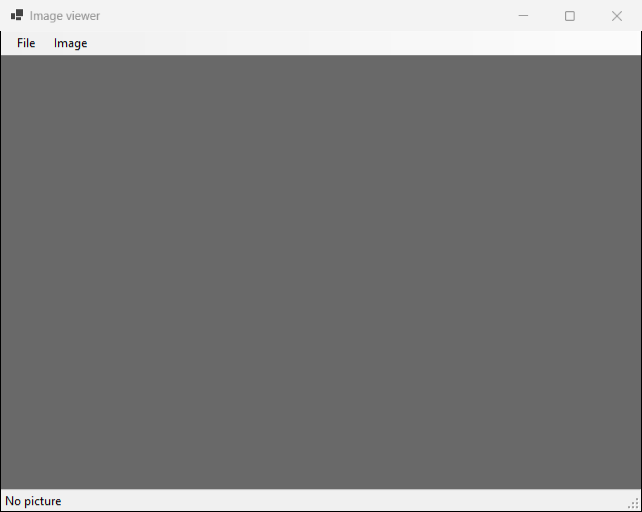
Image Viewer
Image viewer - open a picture, zoom, rotate, flip, grayscale and save (System.Drawing)
cd samples/UsingDotNet/applications/ImageViewer then ring ImageViewer.ringSource code
# Image viewer - open a picture, zoom, rotate, flip, grayscale and save (System.Drawing)

load "dotnet.ring"

using {
	"System"
	"System.IO"
	"System.Drawing"
	"System.Drawing.Imaging"
	"System.Windows.Forms"
}

oImage = ""		# the picture being shown (a Bitmap)
nZoom = 100

oForm = uiForm("Image viewer",640,480)
uiMenu(oForm,[
	["File",[["Open...","openDialog()","Control, O"],["Save As...","saveDialog()","Control, S"],["-",""],["Exit","oForm.Close()"]]],
	["Image",[["Rotate right","rotate()"],["Flip horizontal","flip()"],["Grayscale","grayscale()"],["-",""],["Zoom in","zoomBy(25)"],["Zoom out","zoomBy(-25)"],["Actual size","setZoom(100)"]]]
])
# the picture is shown in a panel that scrolls; the zoom changes the size of the picture box
oPanel = new Panel() {
	Dock = "Fill"
	AutoScroll = True
	BackColor = uiColor("DimGray")
}
oBox = new PictureBox() {
	SizeMode = "StretchImage"
	Location = new Point(0,0)
	Size = new Size(1,1)
}
oPanel.Controls.Add(oBox)
oForm.Controls.Add(oPanel)
oInfo = new StatusStrip()
oInfoText = new ToolStripStatusLabel()
oInfoText.Text = "No picture"
oInfo.Items.Add(oInfoText)
oForm.Controls.Add(oInfo)
oPanel.BringToFront()
oForm.setMouseWheelEvent("wheelZoom(aDotNetArgs[2].Delta)")

uiRun(oForm)

# --------------------------------------------------------------------------

func showImage

	if isobject(oImage)
		oBox.Image = oImage
		oBox.Width = max([1,floor(oImage.Width * nZoom / 100)])
		oBox.Height = max([1,floor(oImage.Height * nZoom / 100)])
		oInfoText.Text = "" + oImage.Width + " x " + oImage.Height + "   zoom " + nZoom + "%"
	ok

func openDialog

	cFile = uiOpenFileName("Open picture","Pictures|*.png;*.jpg;*.jpeg;*.bmp;*.gif|All files|*.*")
	if cFile != ""
		loadFile(cFile)
	ok

func loadFile cFile

	try
		oLoaded = new Bitmap(cFile,0)
	catch
		uiMessage("Can't open " + cFile + nl + "(is it a picture?)","Image viewer")
		return
	done
	oImage = oLoaded
	nZoom = 100
	cName = new Path().GetFileName(cFile)
	oForm.Text = cName + " - Image viewer"
	showImage()

func saveDialog

	cFile = uiSaveFileName("Save picture","PNG|*.png")
	if cFile != ""
		saveTo(cFile)
	ok

func saveTo cFile

	oImage.Save([ :filename = cFile, :format = new ImageFormat().Png ])

func rotate

	if isobject(oImage)
		oImage.RotateFlip("Rotate90FlipNone")
		showImage()
	ok

func flip

	if isobject(oImage)
		oImage.RotateFlip("RotateNoneFlipX")
		showImage()
	ok

# One call to .NET for the whole picture: a color matrix gives every pixel its gray value
# (a loop with GetPixel and SetPixel would cross from Ring to .NET several times for every pixel)
func grayscale

	if not isobject(oImage)
		return
	ok
	nWidth = oImage.Width
	nHeight = oImage.Height
	oMatrix = (new ColorMatrix).@New([
		[0.299,0.299,0.299,0,0],
		[0.587,0.587,0.587,0,0],
		[0.114,0.114,0.114,0,0],
		[0,0,0,1,0],
		[0,0,0,0,1] ])
	oAttributes = new ImageAttributes()
	oAttributes.SetColorMatrix(oMatrix)
	oGray = new Bitmap(nWidth,nHeight)
	oGraphics = new Graphics().FromImage(oGray)
	oGraphics.DrawImage([ :image = oImage, :destRect = new Rectangle(0,0,nWidth,nHeight), :srcX = 0, :srcY = 0, :srcWidth = nWidth, :srcHeight = nHeight, :srcUnit = "Pixel", :imageAttr = oAttributes ])
	oGraphics.Dispose()
	oImage.Dispose()
	oImage = oGray
	showImage()

func setZoom nPercent

	nZoom = nPercent
	showImage()

# the mouse wheel: turn it away from you to zoom in, towards you to zoom out
func wheelZoom nDelta

	if nDelta > 0
		zoomBy(25)
	but nDelta < 0
		zoomBy(-25)
	ok

func zoomBy nDelta

	nZoom += nDelta
	if nZoom < 25
		nZoom = 25
	ok
	if nZoom > 800
		nZoom = 800
	ok
	showImage()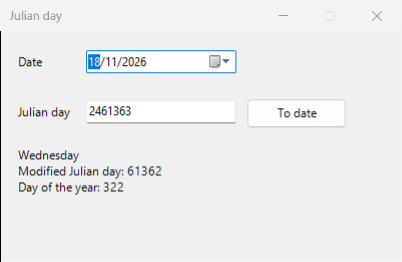
Julian Day
Julian day converter - dates and Julian day numbers in both directions (a port of ring/applications/juliandaycalendar)
cd samples/UsingDotNet/applications/JulianDay then ring JulianDay.ringSource code
# Julian day converter - dates and Julian day numbers in both directions (a port of ring/applications/juliandaycalendar)

load "dotnet.ring"

using {
	"System"
	"System.Drawing"
	"System.Windows.Forms"
}

oForm = uiForm("Julian day",400,230)
oForm {
	FormBorderStyle = "FixedDialog"
	MaximizeBox = False
}
uiLabel(oForm,"Date",15,22,60,22)
oPicker = new DateTimePicker() {
	Location = new Point(85,19)
	Size = new Size(150,26)
	Format = "Short"
}
oForm.Controls.Add(oPicker)
uiLabel(oForm,"Julian day",15,72,70,22)
oJulian = uiTextBox(oForm,85,69,150,26)
uiButton(oForm,"To date",245,67,100,30,"fromJulian()")
oInfo = uiLabel(oForm,"",15,115,370,80)
oPicker.setValueChangedEvent("fromDate()")
fromDate()

uiRun(oForm)

# --------------------------------------------------------------------------

# Julian day number of a calendar date (at noon)
func julianDay nYear, nMonth, nDay

	nA = floor((14 - nMonth) / 12)
	nY = nYear + 4800 - nA
	nM = nMonth + 12 * nA - 3
	return nDay + floor((153 * nM + 2) / 5) + 365 * nY + floor(nY / 4) - floor(nY / 100) + floor(nY / 400) - 32045

# the calendar date of a Julian day number: [year, month, day]
func calendarDate nJulian

	nA = nJulian + 32044
	nB = floor((4 * nA + 3) / 146097)
	nC = nA - floor(146097 * nB / 4)
	nD = floor((4 * nC + 3) / 1461)
	nE = nC - floor(1461 * nD / 4)
	nM = floor((5 * nE + 2) / 153)
	nDay = nE - floor((153 * nM + 2) / 5) + 1
	nMonth = nM + 3 - 12 * floor(nM / 10)
	nYear = 100 * nB + nD - 4800 + floor(nM / 10)
	return [nYear,nMonth,nDay]

func fromDate

	oDate = oPicker.Value
	nJulian = julianDay(oDate.Year,oDate.Month,oDate.Day)
	oJulian.Text = "" + nJulian
	oInfo.Text = oDate.DayOfWeek + nl + "Modified Julian day: " + (nJulian - 2400001) + nl + "Day of the year: " + oDate.DayOfYear

func fromJulian

	nJulian = floor(number(oJulian.Text))
	aDate = calendarDate(nJulian)
	oDate = new DateTime(aDate[1],aDate[2],aDate[3])
	oPicker.Value = oDate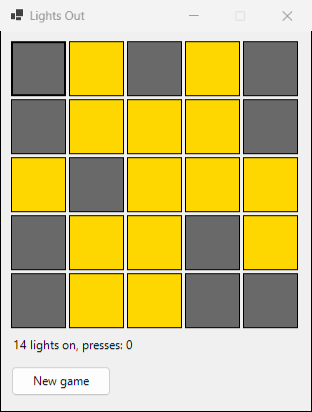
Lights Out
Lights Out - press a cell to toggle it and its neighbors until all the lights are off (a port of ring/applications/lightsout to RingDotNet)
cd samples/UsingDotNet/applications/LightsOut then ring LightsOut.ringSource code
# Lights Out - press a cell to toggle it and its neighbors until all the lights are off
# (a port of ring/applications/lightsout to RingDotNet)

load "dotnet.ring"

using {
	"System.Drawing"
	"System.Windows.Forms"
}

C_SIZE = 5
aLights = list(C_SIZE * C_SIZE)
aCells = []
nPresses = 0

oForm = uiForm("Lights Out",310,380)
oForm {
	FormBorderStyle = "FixedSingle"
	MaximizeBox = False
}
for nCell = 1 to C_SIZE * C_SIZE
	nRow = floor((nCell - 1) / C_SIZE)
	nCol = (nCell - 1) % C_SIZE
	oCell = uiButton(oForm,"",10 + nCol * 58,10 + nRow * 58,55,55,"press(" + nCell + ")")
	oCell.FlatStyle = "Flat"
	aCells + oCell
next
oInfo = uiLabel(oForm,"",10,305,290,24)
uiButton(oForm,"New game",10,335,100,30,"newGame()")
newGame()

uiRun(oForm)

# --------------------------------------------------------------------------

func showLights

	for nCell = 1 to len(aLights)
		if aLights[nCell]
			aCells[nCell].BackColor = uiColor("Gold")
		else
			aCells[nCell].BackColor = uiColor("DimGray")
		ok
	next
	nOn = 0
	for nLight in aLights
		nOn += nLight
	next
	if nOn = 0
		oInfo.Text = "All lights are off - you won in " + nPresses + " presses!"
	else
		oInfo.Text = string(nOn) + " lights on, presses: " + nPresses
	ok

func toggle nCell

	aLights[nCell] = not aLights[nCell]

# toggle the cell and its neighbors
func flip nCell

	nRow = floor((nCell - 1) / C_SIZE)
	nCol = (nCell - 1) % C_SIZE
	toggle(nCell)
	if nRow > 0 toggle(nCell - C_SIZE) ok
	if nRow < C_SIZE - 1 toggle(nCell + C_SIZE) ok
	if nCol > 0 toggle(nCell - 1) ok
	if nCol < C_SIZE - 1 toggle(nCell + 1) ok

func press nCell

	flip(nCell)
	nPresses++
	showLights()

func newGame

	aLights = list(C_SIZE * C_SIZE)
	# random presses keep the game solvable
	for nStep = 1 to 12
		flip(random(C_SIZE * C_SIZE - 1) + 1)
	next
	nPresses = 0
	showLights()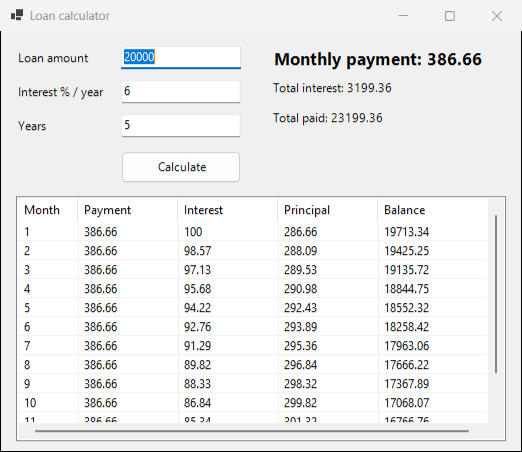
Loan Calculator
Loan calculator - monthly payment, total interest and the first rows of the amortization table
cd samples/UsingDotNet/applications/LoanCalculator then ring LoanCalculator.ringSource code
# Loan calculator - monthly payment, total interest and the first rows of the amortization table

load "dotnet.ring"

using {
	"System.Drawing"
	"System.Windows.Forms"
}

oForm = uiForm("Loan calculator",520,420)
uiLabel(oForm,"Loan amount",15,18,100,22)
oAmount = uiTextBox(oForm,120,15,120,26)
oAmount.Text = "20000"
uiLabel(oForm,"Interest % / year",15,52,105,22)
oRate = uiTextBox(oForm,120,49,120,26)
oRate.Text = "6"
uiLabel(oForm,"Years",15,86,100,22)
oYears = uiTextBox(oForm,120,83,120,26)
oYears.Text = "5"
uiButton(oForm,"Calculate",120,120,120,32,"calculate()")
oPayment = uiLabel(oForm,"",270,15,240,24)
oPayment.Font = uiFont("Segoe UI",13,true)
oInterest = uiLabel(oForm,"",270,48,240,24)
oTotal = uiLabel(oForm,"",270,78,240,24)
oTable = new ListView() {
	Location = new Point(15,165)
	Size = new Size(490,245)
	View = "Details"
	GridLines = True
	FullRowSelect = True
}
for aColumn in [["Month",60],["Payment",100],["Interest",100],["Principal",100],["Balance",110]]
	oTable.Columns.Add([ :text = aColumn[1], :width = aColumn[2] ])
next
oForm.Controls.Add(oTable)

calculate()
uiRun(oForm)

# --------------------------------------------------------------------------

func money nValue

	return uiNumber(floor(nValue * 100 + 0.5) / 100)

# the monthly payment of a loan
func monthlyPayment nAmount, nYearlyRate, nYears

	nMonths = nYears * 12
	nMonthlyRate = nYearlyRate / 100 / 12
	if nMonthlyRate = 0
		return nAmount / nMonths
	ok
	return nAmount * nMonthlyRate / (1 - pow(1 + nMonthlyRate,-nMonths))

func calculate

	nAmount = number(oAmount.Text)
	nRate = number(oRate.Text)
	nYears = number(oYears.Text)
	oTable.Items.Clear()
	if nAmount <= 0 or nYears <= 0 or nRate < 0
		oPayment.Text = "Check the input"
		oInterest.Text = ""
		oTotal.Text = ""
		return
	ok
	nPayment = monthlyPayment(nAmount,nRate,nYears)
	nMonths = floor(nYears * 12)
	nBalance = nAmount
	nTotalInterest = 0
	for nMonth = 1 to nMonths
		nInterestPart = nBalance * nRate / 100 / 12
		nPrincipal = nPayment - nInterestPart
		nBalance -= nPrincipal
		nTotalInterest += nInterestPart
		if nMonth <= 12
			oItem = new ListViewItem().@New([ :text = "" + nMonth ])
			oItem.SubItems.Add(money(nPayment))
			oItem.SubItems.Add(money(nInterestPart))
			oItem.SubItems.Add(money(nPrincipal))
			oItem.SubItems.Add(money(fabs(nBalance)))
			oTable.Items.Add(oItem)
		ok
	next
	oPayment.Text = "Monthly payment: " + money(nPayment)
	oInterest.Text = "Total interest: " + money(nTotalInterest)
	oTotal.Text = "Total paid: " + money(nAmount + nTotalInterest)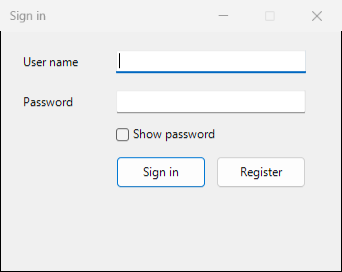
Login Form
Login form with validation, a password hash and an error provider
cd samples/UsingDotNet/applications/LoginForm then ring LoginForm.ringSource code
# Login form with validation, a password hash and an error provider

load "dotnet.ring"

using {
	"System"
	"System.Text"
	"System.Security.Cryptography"
	"System.Drawing"
	"System.Windows.Forms"
}

# the "database": user name -> SHA-256 hash of the password
aUsers = []
nAttempts = 0

oForm = uiForm("Sign in",340,240)
oForm {
	FormBorderStyle = "FixedDialog"
	MaximizeBox = False
}
uiLabel(oForm,"User name",20,22,90,22)
oUser = uiTextBox(oForm,115,19,190,26)
uiLabel(oForm,"Password",20,62,90,22)
oPassword = uiTextBox(oForm,115,59,190,26)
oPassword.UseSystemPasswordChar = True
oShow = uiCheckBox(oForm,"Show password",115,92,150,24,"togglePassword()")
oSignIn = uiButton(oForm,"Sign in",115,125,90,32,"signIn()")
uiButton(oForm,"Register",215,125,90,32,"registerUser()")
oMessage = uiLabel(oForm,"",20,170,300,40)
oErrors = new ErrorProvider()
oForm.AcceptButton = oSignIn
register("admin","secret")

uiRun(oForm)

# --------------------------------------------------------------------------

func hashOf cPassword

	cBytes = new SHA256().HashData(cPassword)
	return lower(new Convert().ToHexString(cBytes))

func register cName, cPassword

	for aUser in aUsers
		if aUser[1] = lower(cName)
			return false
		ok
	next
	aUsers + [lower(cName),hashOf(cPassword)]
	return true

func checkLogin cName, cPassword

	for aUser in aUsers
		if aUser[1] = lower(cName) and aUser[2] = hashOf(cPassword)
			return true
		ok
	next
	return false

func togglePassword

	oPassword.UseSystemPasswordChar = not oShow.Checked

# true when the fields are filled (the error provider shows an icon next to an empty one)
func validate

	lValid = true
	if trim(oUser.Text) = ""
		oErrors.SetError(oUser,"Enter the user name")
		lValid = false
	else
		oErrors.SetError(oUser,"")
	ok
	if oPassword.Text = ""
		oErrors.SetError(oPassword,"Enter the password")
		lValid = false
	else
		oErrors.SetError(oPassword,"")
	ok
	return lValid

func signIn

	if not validate()
		oMessage.Text = "Please fill in both fields"
		return
	ok
	nAttempts++
	if checkLogin(oUser.Text,oPassword.Text)
		oMessage {
			ForeColor = uiColor("DarkGreen")
			Text = "Welcome, " + oUser.Text + "!"
		}
		nAttempts = 0
	else
		oMessage {
			ForeColor = uiColor("Firebrick")
			Text = "Wrong user name or password (attempt " + nAttempts + " of 3)"
		}
		if nAttempts >= 3
			oSignIn.Enabled = False
			oMessage.Text = "Too many attempts: sign in is disabled"
		ok
	ok

func registerUser

	if validate()
		if register(oUser.Text,oPassword.Text)
			oMessage {
				ForeColor = uiColor("DarkGreen")
				Text = "User " + oUser.Text + " created"
			}
		else
			oMessage {
				ForeColor = uiColor("Firebrick")
				Text = "That user name is taken"
			}
		ok
	ok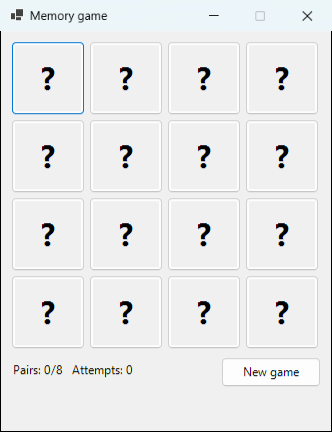
Memory Game
Memory game - find the pairs (a port of ring/applications/memorygame to RingDotNet)
cd samples/UsingDotNet/applications/MemoryGame then ring MemoryGame.ringSource code
# Memory game - find the pairs (a port of ring/applications/memorygame to RingDotNet)

load "dotnet.ring"

using {
	"System"
	"System.Diagnostics"
	"System.Threading"
	"System.Drawing"
	"System.Windows.Forms"
}

C_CARDS = 16
aSymbols = []		# the symbol hidden behind each card
aCardButtons = []
aMatched = list(C_CARDS)
nFirst = 0		# the first card turned in this attempt
nSecond = 0
nAttempts = 0
nPairs = 0
lBusy = false

oForm = uiForm("Memory game",330,400)
oForm {
	FormBorderStyle = "FixedSingle"
	MaximizeBox = False
}
for nCard = 1 to C_CARDS
	nRow = floor((nCard - 1) / 4)
	nCol = (nCard - 1) % 4
	oCard = uiButton(oForm,"?",10 + nCol * 78,10 + nRow * 78,74,74,"turn(" + nCard + ")")
	oCard.Font = uiFont("Segoe UI",24,true)
	aCardButtons + oCard
next
oInfo = uiLabel(oForm,"",10,330,200,24)
uiButton(oForm,"New game",220,326,100,30,"newGame()")
oHideTimer = uiTimer(700,"hideCards()")
newGame()

uiRun(oForm)

# --------------------------------------------------------------------------

func newGame

	oHideTimer.Stop()
	# two cards of each of the 8 letters, shuffled
	aSymbols = []
	for cLetter in ["A","B","C","D","E","F","G","H"]
		aSymbols + cLetter
		aSymbols + cLetter
	next
	for nIndex = len(aSymbols) to 2 step -1
		nOther = random(nIndex - 1) + 1
		cTemp = aSymbols[nIndex]
		aSymbols[nIndex] = aSymbols[nOther]
		aSymbols[nOther] = cTemp
	next
	aMatched = list(C_CARDS)
	nFirst = 0
	nSecond = 0
	nAttempts = 0
	nPairs = 0
	lBusy = false
	for oCard in aCardButtons
		oCard {
			Text = "?"
			Enabled = True
			BackColor = new Color().Empty
		}
	next
	showInfo()

func showInfo

	oInfo.Text = "Pairs: " + nPairs + "/8   Attempts: " + nAttempts

func turn nCard

	if lBusy or aMatched[nCard] or nCard = nFirst
		return
	ok
	aCardButtons[nCard].Text = aSymbols[nCard]
	aCardButtons[nCard].BackColor = uiColor("LightYellow")
	if nFirst = 0
		nFirst = nCard
		return
	ok
	nSecond = nCard
	nAttempts++
	if aSymbols[nFirst] = aSymbols[nSecond]
		aMatched[nFirst] = true
		aMatched[nSecond] = true
		aCardButtons[nFirst].BackColor = uiColor("LightGreen")
		aCardButtons[nSecond].BackColor = uiColor("LightGreen")
		nPairs++
		nFirst = 0
		nSecond = 0
		if nPairs = 8
			uiMessage("You found all the pairs in " + nAttempts + " attempts!","Memory game")
		ok
	else
		lBusy = true
		oHideTimer.Start()
	ok
	showInfo()

func hideCards

	oHideTimer.Stop()
	for nCard in [nFirst,nSecond]
		aCardButtons[nCard].Text = "?"
		aCardButtons[nCard].BackColor = new Color().Empty
	next
	nFirst = 0
	nSecond = 0
	lBusy = false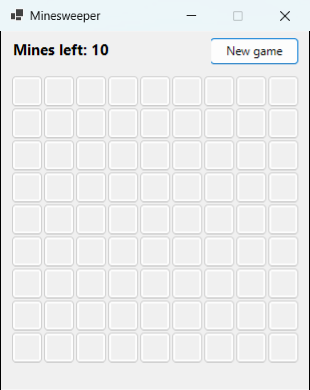
Minesweeper
Minesweeper - left click reveals, right click flags (a port of ring/applications/minesweeper)
cd samples/UsingDotNet/applications/Minesweeper then ring Minesweeper.ringSource code
# Minesweeper - left click reveals, right click flags (a port of ring/applications/minesweeper)

load "dotnet.ring"

using {
	"System.Drawing"
	"System.Windows.Forms"
}

C_COLUMNS = 9
C_ROWS = 9
C_MINES = 10
C_SIZE = 32

aMine = list(C_COLUMNS * C_ROWS)	# 1 = mine
aRevealed = list(C_COLUMNS * C_ROWS)
aFlagged = list(C_COLUMNS * C_ROWS)
aButtons = []
lPlaying = true
nFlags = 0

oForm = uiForm("Minesweeper",C_COLUMNS * C_SIZE + 20,C_ROWS * C_SIZE + 70)
oForm {
	FormBorderStyle = "FixedSingle"
	MaximizeBox = False
}
oInfo = uiLabel(oForm,"",10,8,200,24)
oInfo.Font = uiFont("Segoe UI",11,true)
uiButton(oForm,"New game",C_COLUMNS * C_SIZE - 80,6,90,28,"newGame()")
for nCell = 1 to C_COLUMNS * C_ROWS
	nRow = floor((nCell - 1) / C_COLUMNS)
	nColumn = (nCell - 1) % C_COLUMNS
	oButton = uiButton(oForm,"",10 + nColumn * C_SIZE,44 + nRow * C_SIZE,C_SIZE,C_SIZE,"")
	oButton {
		Font = uiFont("Segoe UI",11,true)
		Margin = new Padding().@New([ :all = 0 ])
		setMouseUpEvent("cellClicked(" + nCell + ",aDotNetArgs[2].Button)")
	}
	aButtons + oButton
next
newGame()

uiRun(oForm)

# --------------------------------------------------------------------------

func neighbors nCell

	aList = []
	nRow = floor((nCell - 1) / C_COLUMNS)
	nColumn = (nCell - 1) % C_COLUMNS
	for nDy = -1 to 1
		for nDx = -1 to 1
			if nDx != 0 or nDy != 0
				nR = nRow + nDy
				nC = nColumn + nDx
				if nR >= 0 and nR < C_ROWS and nC >= 0 and nC < C_COLUMNS
					aList + (nR * C_COLUMNS + nC + 1)
				ok
			ok
		next
	next
	return aList

func mineCount nCell

	nTotal = 0
	aNears = neighbors(nCell)
	for nNear in aNears
		nTotal += aMine[nNear]
	next
	return nTotal

func newGame

	aMine = list(C_COLUMNS * C_ROWS)
	aRevealed = list(C_COLUMNS * C_ROWS)
	aFlagged = list(C_COLUMNS * C_ROWS)
	nPlaced = 0
	while nPlaced < C_MINES
		nCell = random(C_COLUMNS * C_ROWS - 1) + 1
		if not aMine[nCell]
			aMine[nCell] = 1
			nPlaced++
		ok
	end
	startPlay()

func startPlay

	lPlaying = true
	nFlags = 0
	for oButton in aButtons
		oButton {
			Text = ""
			Enabled = True
			BackColor = new Color().Empty
		}
	next
	showInfo()

func showInfo

	if lPlaying
		oInfo.Text = "Mines left: " + (C_MINES - nFlags)
	ok

func cellClicked nCell, cButton

	if not lPlaying
		return
	but cButton = "Right"
		toggleFlag(nCell)
	else
		reveal(nCell)
	ok

func toggleFlag nCell

	if aRevealed[nCell]
		return
	ok
	aFlagged[nCell] = not aFlagged[nCell]
	if aFlagged[nCell]
		aButtons[nCell].Text = "F"
		aButtons[nCell].ForeColor = uiColor("Red")
		nFlags++
	else
		aButtons[nCell].Text = ""
		nFlags--
	ok
	showInfo()

func reveal nCell

	if aRevealed[nCell] or aFlagged[nCell]
		return
	but aMine[nCell]
		gameOver()
		return
	ok
	# flood fill over the cells without mines around
	aQueue = [nCell]
	while len(aQueue) > 0
		nCurrent = aQueue[len(aQueue)]
		del(aQueue,len(aQueue))
		if aRevealed[nCurrent]
			loop
		ok
		aRevealed[nCurrent] = 1
		aButtons[nCurrent].BackColor = uiColor("LightGray")
		nNear = mineCount(nCurrent)
		if nNear > 0
			aButtons[nCurrent].Text = "" + nNear
			aButtons[nCurrent].ForeColor = numberColor(nNear)
		else
			aButtons[nCurrent].Text = ""
			aOthers = neighbors(nCurrent)
			for nOther in aOthers
				if not aRevealed[nOther] and not aFlagged[nOther]
					aQueue + nOther
				ok
			next
		ok
	end
	checkWin()

func numberColor nNear

	aColors = ["Blue","Green","Red","DarkBlue","Brown","Teal","Black","Gray"]
	return uiColor(aColors[nNear])

func checkWin

	nHidden = 0
	for nCell = 1 to len(aRevealed)
		if not aRevealed[nCell]
			nHidden++
		ok
	next
	if nHidden = C_MINES
		lPlaying = false
		oInfo.Text = "You won!"
	ok

func gameOver

	lPlaying = false
	for nCell = 1 to len(aMine)
		if aMine[nCell]
			aButtons[nCell].Text = "*"
			aButtons[nCell].BackColor = uiColor("Tomato")
		ok
	next
	oInfo.Text = "Boom! Game over"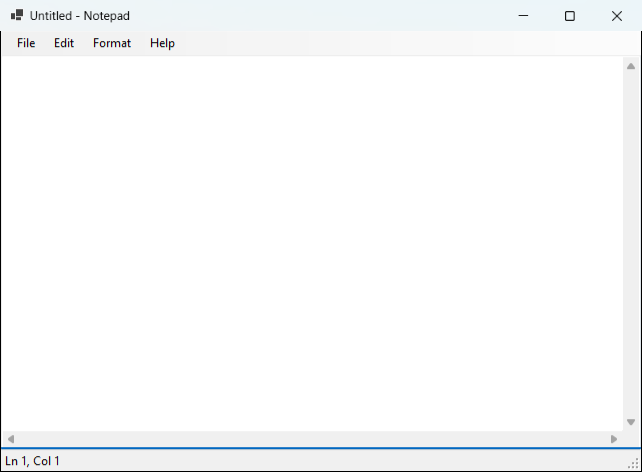
Notepad
Notepad - a text editor (menu, file dialogs, status bar, find) written with RingDotNet
cd samples/UsingDotNet/applications/Notepad then ring Notepad.ringSource code
# Notepad - a text editor (menu, file dialogs, status bar, find) written with RingDotNet

load "dotnet.ring"

using {
	"System"
	"System.IO"
	"System.Drawing"
	"System.Windows.Forms"
}

cFileName = ""		# the file being edited ("" = untitled)
lModified = false
lLoading = false

oForm = uiForm("Untitled - Notepad",640,440)

uiMenu(oForm,[
	["File",[["New","newFile()","Control, N"],["Open...","openDialog()","Control, O"],["Save","saveFile()","Control, S"],["Save As...","saveAsDialog()"],["-",""],["Exit","oForm.Close()"]]],
	["Edit",[["Cut","oEditor.Cut()","Control, X"],["Copy","oEditor.Copy()","Control, C"],["Paste","oEditor.Paste()","Control, V"],["Select All","oEditor.SelectAll()","Control, A"],["-",""],["Find...","toggleFind()","Control, F"]]],
	["Format",[["Word Wrap","toggleWrap()"]]],
	["Help",[["About","uiMessage('Notepad written in Ring with RingDotNet','About')"]]]
])

oEditor = uiMemo(oForm,0,24,640,370)
oEditor {
	Dock = "Fill"
	Font = new Font("Consolas",11)
	setTextChangedEvent("textChanged()")
	setKeyUpEvent("showPosition()")
	setMouseUpEvent("showPosition()")
}

oStatus = new StatusStrip()
oPosition = new ToolStripStatusLabel()
oPosition.Text = "Ln 1, Col 1"
oStatus.Items.Add(oPosition)
oForm.Controls.Add(oStatus)
oEditor.BringToFront()		# the editor fills what is left, so it is sent to the front and docked first

# find bar
oFindPanel = uiPanel(oForm,0,0,640,30)
oFindPanel {
	Dock = "Bottom"
	Visible = False
}
uiLabel(oFindPanel,"Find:",6,6,40,20)
oFindText = uiTextBox(oFindPanel,50,4,200,24)
uiButton(oFindPanel,"Find next",260,3,80,26,"findNext()")
oFound = uiLabel(oFindPanel,"",350,6,200,20)

oForm.setFormClosingEvent("closing(aDotNetArgs[2])")

uiRun(oForm)

# --------------------------------------------------------------------------

func textChanged

	if not lLoading
		lModified = true
	ok
	updateTitle()
	showPosition()

func updateTitle

	cName = "Untitled"
	if cFileName != ""
		cName = new Path().GetFileName(cFileName)
	ok
	if lModified
		cName += "*"
	ok
	oForm.Text = cName + " - Notepad"

func showPosition

	nIndex = oEditor.SelectionStart
	nLine = oEditor.GetLineFromCharIndex(nIndex)
	nColumn = nIndex - oEditor.GetFirstCharIndexFromLine(nLine)
	oPosition.Text = "Ln " + (nLine + 1) + ", Col " + (nColumn + 1)

# true when it is fine to throw away the current text
func canDiscard

	if not lModified
		return true
	ok
	return uiAsk("Discard the changes?","Notepad")

func newFile

	if canDiscard()
		setText("")
		cFileName = ""
		lModified = false
		updateTitle()
	ok

func setText cText

	lLoading = true
	oEditor.Text = cText
	lLoading = false

func openDialog

	if canDiscard()
		cName = uiOpenFileName("Open","Text files (*.txt)|*.txt|All files (*.*)|*.*")
		if cName != ""
			loadFile(cName)
		ok
	ok

func loadFile cName

	try
		cContent = new File().ReadAllText(cName)
	catch
		uiMessage("Can't open " + cName + nl + cCatchError,"Notepad")
		return
	done
	setText(cContent)
	cFileName = cName
	lModified = false
	updateTitle()

func saveFile

	if cFileName = ""
		saveAsDialog()
	else
		saveTo(cFileName)
	ok

func saveAsDialog

	cName = uiSaveFileName("Save As","Text files (*.txt)|*.txt|All files (*.*)|*.*")
	if cName != ""
		saveTo(cName)
	ok

func saveTo cName

	try
		new File().WriteAllText([ :path = cName, :contents = oEditor.Text ])
	catch
		uiMessage("Can't save " + cName + nl + cCatchError,"Notepad")
		return
	done
	cFileName = cName
	lModified = false
	updateTitle()

func toggleWrap

	oEditor.WordWrap = not oEditor.WordWrap
	if oEditor.WordWrap
		oEditor.ScrollBars = "Vertical"
	else
		oEditor.ScrollBars = "Both"
	ok

func toggleFind

	oFindPanel.Visible = not oFindPanel.Visible
	if oFindPanel.Visible
		oFindText.Focus()
	ok

func findNext

	cWhat = oFindText.Text
	if cWhat = ""
		return
	ok
	cText = oEditor.Text
	nStart = oEditor.SelectionStart + oEditor.SelectionLength
	nIndex = findFrom(cText,cWhat,nStart)
	if nIndex < 0 and nStart > 0
		nIndex = findFrom(cText,cWhat,0)	# wrap around
	ok
	if nIndex < 0
		oFound.Text = "Not found"
	else
		oFound.Text = ""
		oEditor.Select([ :start = nIndex, :length = len(cWhat) ])
		oEditor.ScrollToCaret()
		oEditor.Focus()
	ok

# 0-based position of cWhat in cText at or after nStart (-1 = not found); positions are bytes, so it is meant for ASCII text
func findFrom cText, cWhat, nStart

	if nStart >= len(cText)
		return -1
	ok
	cRest = substr(cText,nStart + 1,len(cText) - nStart)
	nPos = substr(cRest,cWhat)
	if nPos = 0
		return -1
	ok
	return nStart + nPos - 1

func closing oArgs

	if not canDiscard()
		oArgs.Cancel = True
	ok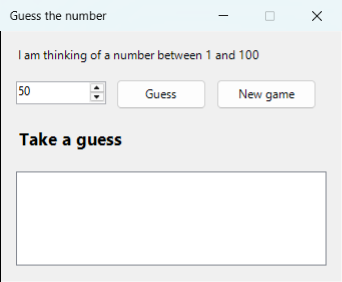
Number Guess
Guess the number between 1 and 100 - higher/lower hints and an attempts counter
cd samples/UsingDotNet/applications/NumberGuess then ring NumberGuess.ringSource code
# Guess the number between 1 and 100 - higher/lower hints and an attempts counter

load "dotnet.ring"

using {
	"System.Drawing"
	"System.Windows.Forms"
}

nSecret = 0
nAttempts = 0
nBest = 0

oForm = uiForm("Guess the number",340,250)
oForm {
	FormBorderStyle = "FixedDialog"
	MaximizeBox = False
}
uiLabel(oForm,"I am thinking of a number between 1 and 100",15,15,310,22)
oGuess = new NumericUpDown() {
	Location = new Point(15,50)
	Size = new Size(90,26)
	Minimum = 1
	Maximum = 100
	Value = 50
}
oForm.Controls.Add(oGuess)
uiButton(oForm,"Guess",115,48,90,30,"guess()")
uiButton(oForm,"New game",215,48,100,30,"newGame()")
oHint = uiLabel(oForm,"",15,95,310,40)
oHint.Font = uiFont("Segoe UI",13,true)
oHistory = uiListBox(oForm,15,140,310,95)
newGame()

uiRun(oForm)

# --------------------------------------------------------------------------

func newGame

	nSecret = random(99) + 1
	nAttempts = 0
	oHint.Text = "Take a guess"
	oHistory.Items.Clear()
	oGuess.Value = 50

func guess

	nNumber = number(oGuess.Value)
	nAttempts++
	if nNumber < nSecret
		cResult = "too low"
	but nNumber > nSecret
		cResult = "too high"
	else
		cResult = "correct"
	ok
	oHistory.Items.Insert(0,"" + nAttempts + ". " + nNumber + " is " + cResult)
	if cResult = "correct"
		oHint.Text = "Yes! " + nNumber + " in " + nAttempts + " attempts"
		if nBest = 0 or nAttempts < nBest
			nBest = nAttempts
		ok
	else
		oHint.Text = "Try a number that is " + substr(cResult,"too ","") + "er"
	ok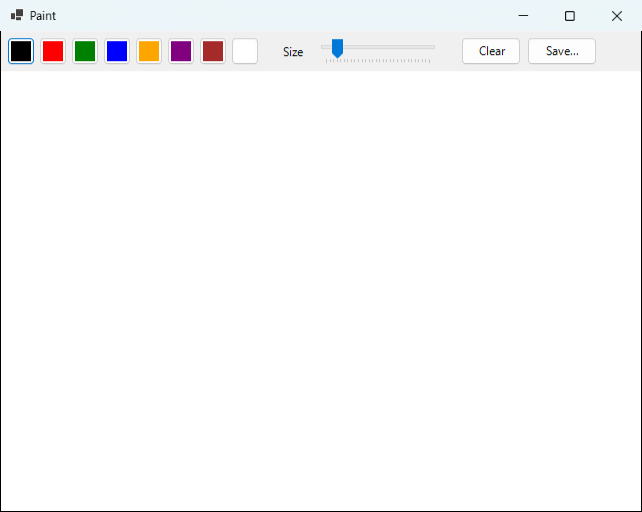
Paint
Paint - draw with the mouse (mouse events and UiCanvas), save the picture as PNG
cd samples/UsingDotNet/applications/Paint then ring Paint.ringSource code
# Paint - draw with the mouse (mouse events and UiCanvas), save the picture as PNG

load "dotnet.ring"

using {
	"System"
	"System.IO"
	"System.Drawing"
	"System.Drawing.Imaging"
	"System.Windows.Forms"
}

cColor = "Black"
nPenSize = 4
lDrawing = false
nLastX = 0
nLastY = 0

oForm = uiForm("Paint",640,480)
oPicture = uiPictureBox(oForm,0,40,640,440)
oCanvas = new UiCanvas(oPicture)
oCanvas.clear("White")
oCanvas.show()
oPicture {
	setMouseDownEvent("mouseDown(aDotNetArgs[2].X,aDotNetArgs[2].Y)")
	setMouseMoveEvent("mouseMove(aDotNetArgs[2].X,aDotNetArgs[2].Y)")
	setMouseUpEvent("lDrawing = false")
}

nX = 6
for cName in ["Black","Red","Green","Blue","Orange","Purple","Brown","White"]
	oSwatch = uiButton(oForm,"",nX,6,28,28,"cColor = '" + cName + "'")
	oSwatch.BackColor = uiColor(cName)
	nX += 32
next
uiLabel(oForm,"Size",280,12,32,20)
oSize = new TrackBar() {
	Location = new Point(312,6)
	Size = new Size(130,30)
	Minimum = 1
	Maximum = 30
	Value = 4
	setScrollEvent("nPenSize = oSize.Value")
}
oForm.Controls.Add(oSize)
uiButton(oForm,"Clear",460,6,60,28,"clearCanvas()")
uiButton(oForm,"Save...",526,6,70,28,"saveDialog()")

uiRun(oForm)

# --------------------------------------------------------------------------

func mouseDown nX, nY

	lDrawing = true
	nLastX = nX
	nLastY = nY
	oCanvas.fillCircle(nX,nY,nPenSize / 2,cColor)
	oCanvas.show()

func mouseMove nX, nY

	if lDrawing
		oCanvas.line(nLastX,nLastY,nX,nY,cColor,nPenSize)
		oCanvas.fillCircle(nX,nY,nPenSize / 2,cColor)
		nLastX = nX
		nLastY = nY
		oCanvas.show()
	ok

func clearCanvas

	oCanvas.clear("White")
	oCanvas.show()

func saveTo cFile

	oCanvas.oBitmap.Save([ :filename = cFile, :format = new ImageFormat().Png ])

func saveDialog

	cFile = uiSaveFileName("Save picture","PNG image (*.png)|*.png")
	if cFile != ""
		saveTo(cFile)
	ok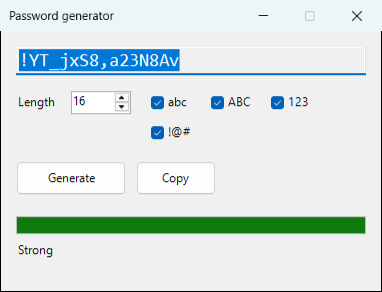
Password Generator
Password generator - uses the .NET cryptographic random number generator
cd samples/UsingDotNet/applications/PasswordGenerator then ring PasswordGenerator.ringSource code
# Password generator - uses the .NET cryptographic random number generator

load "dotnet.ring"

using {
	"System"
	"System.Security.Cryptography"
	"System.Drawing"
	"System.Windows.Forms"
}

oForm = uiForm("Password generator",380,260)
oForm {
	FormBorderStyle = "FixedDialog"
	MaximizeBox = False
}
oPassword = uiTextBox(oForm,15,15,350,32)
oPassword {
	Font = uiFont("Consolas",14,false)
	ReadOnly = True
}
uiLabel(oForm,"Length",15,62,50,22)
oLength = new NumericUpDown() {
	Location = new Point(70,60)
	Size = new Size(60,26)
	Minimum = 4
	Maximum = 64
	Value = 16
}
oForm.Controls.Add(oLength)
oLower = uiCheckBox(oForm,"abc",150,60,60,24,"")
oUpper = uiCheckBox(oForm,"ABC",210,60,60,24,"")
oDigits = uiCheckBox(oForm,"123",270,60,60,24,"")
oSymbols = uiCheckBox(oForm,"!@#",150,90,70,24,"")
oLower.Checked = True
oUpper.Checked = True
oDigits.Checked = True
oSymbols.Checked = True
uiButton(oForm,"Generate",15,130,110,34,"generate()")
uiButton(oForm,"Copy",135,130,80,34,"copyIt()")
oStrength = new ProgressBar() {
	Location = new Point(15,185)
	Size = new Size(350,18)
	Maximum = 100
}
oForm.Controls.Add(oStrength)
oStrengthText = uiLabel(oForm,"",15,210,350,24)
generate()

uiRun(oForm)

# --------------------------------------------------------------------------

func alphabet

	cChars = ""
	if oLower.Checked cChars += "abcdefghijklmnopqrstuvwxyz" ok
	if oUpper.Checked cChars += "ABCDEFGHIJKLMNOPQRSTUVWXYZ" ok
	if oDigits.Checked cChars += "0123456789" ok
	if oSymbols.Checked cChars += "!@#$%^&*()-_=+[]{};:,.?" ok
	return cChars

# a random number from 0 to nMax - 1 taken from the operating system's random generator
func secureRandom nMax

	return new RandomNumberGenerator().GetInt32(nMax)

func strength cPassword

	nScore = len(cPassword) * 4
	nClasses = 0
	if hasAny(cPassword,"abcdefghijklmnopqrstuvwxyz") nClasses++ ok
	if hasAny(cPassword,"ABCDEFGHIJKLMNOPQRSTUVWXYZ") nClasses++ ok
	if hasAny(cPassword,"0123456789") nClasses++ ok
	if hasAny(cPassword,"!@#$%^&*()-_=+[]{};:,.?") nClasses++ ok
	nScore += nClasses * 10
	if nScore > 100
		nScore = 100
	ok
	return nScore

func hasAny cText, cChars

	for x = 1 to len(cText)
		if substr(cChars,cText[x])
			return true
		ok
	next
	return false

func generate

	cChars = alphabet()
	if cChars = ""
		oPassword.Text = ""
		oStrengthText.Text = "Choose at least one kind of characters"
		oStrength.Value = 0
		return
	ok
	cPassword = ""
	nPasswordLength = number(oLength.Value)
	for x = 1 to nPasswordLength
		cPassword += cChars[secureRandom(len(cChars)) + 1]
	next
	oPassword.Text = cPassword
	nScore = strength(cPassword)
	oStrength.Value = nScore
	if nScore < 50
		oStrengthText.Text = "Weak"
	but nScore < 80
		oStrengthText.Text = "Good"
	else
		oStrengthText.Text = "Strong"
	ok

func copyIt

	if oPassword.Text != "" and not uiSelfTest()
		new Clipboard().SetText(oPassword.Text)
	ok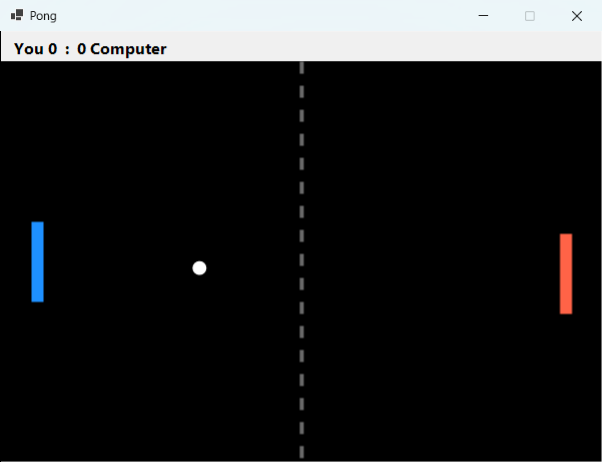
Pong
Pong - Up/Down (or W/S) move your paddle, the computer plays the other one (a port of ring/applications/pong)
cd samples/UsingDotNet/applications/Pong then ring Pong.ringSource code
# Pong - Up/Down (or W/S) move your paddle, the computer plays the other one (a port of ring/applications/pong)

load "dotnet.ring"

using {
	"System.Drawing"
	"System.Windows.Forms"
}

C_WIDTH = 600
C_HEIGHT = 400
C_PADDLE_HEIGHT = 80
C_PADDLE_WIDTH = 12

nPlayerY = 160		# the top of the paddles
nComputerY = 160
nBallX = 300
nBallY = 200
nBallDX = 5
nBallDY = 3
nPlayerScore = 0
nComputerScore = 0
nPlayerMove = 0		# -1, 0 or 1 while a key is held
nKeyEvents = 0		# key events seen (for the test)

oForm = uiForm("Pong",C_WIDTH,C_HEIGHT + 30)
oForm {
	KeyPreview = True
	FormBorderStyle = "FixedSingle"
	MaximizeBox = False
}
oPicture = uiPictureBox(oForm,0,30,C_WIDTH,C_HEIGHT)
oCanvas = new UiCanvas(oPicture)
oScore = uiLabel(oForm,"",10,6,400,22)
oScore.Font = uiFont("Segoe UI",12,true)
uiGameKeys(oForm,"keyChanged(aDotNetArgs[2].KeyCode,true)")
oForm.setKeyUpEvent("keyChanged(aDotNetArgs[2].KeyCode,false)")
oTimer = uiTimer(20,"tick()")
oTimer.Start()
draw()

uiRun(oForm)

# --------------------------------------------------------------------------

func keyChanged cKey, lDown

	nKeyEvents++
	if cKey = "Up" or cKey = "W"
		if lDown
			nPlayerMove = -1
		else
			nPlayerMove = 0
		ok
	but cKey = "Down" or cKey = "S"
		if lDown
			nPlayerMove = 1
		else
			nPlayerMove = 0
		ok
	ok

func clampPaddle nY

	if nY < 0
		return 0
	but nY > C_HEIGHT - C_PADDLE_HEIGHT
		return C_HEIGHT - C_PADDLE_HEIGHT
	ok
	return nY

func serve nDirection

	nBallX = C_WIDTH / 2
	nBallY = C_HEIGHT / 2
	nBallDX = 5 * nDirection
	nBallDY = 3

# one step of the game
func tick

	nPlayerY = clampPaddle(nPlayerY + nPlayerMove * 7)
	# the computer follows the ball slowly
	nTarget = nBallY - C_PADDLE_HEIGHT / 2
	if nComputerY < nTarget - 4
		nComputerY = clampPaddle(nComputerY + 4)
	but nComputerY > nTarget + 4
		nComputerY = clampPaddle(nComputerY - 4)
	ok
	nBallX += nBallDX
	nBallY += nBallDY
	if nBallY < 6 or nBallY > C_HEIGHT - 6
		nBallDY = -nBallDY
	ok
	# paddles
	if nBallDX < 0 and nBallX < 30 + C_PADDLE_WIDTH and nBallY >= nPlayerY and nBallY <= nPlayerY + C_PADDLE_HEIGHT
		nBallDX = -nBallDX * 1.05
		nBallDY += (nBallY - (nPlayerY + C_PADDLE_HEIGHT / 2)) / 12
	ok
	if nBallDX > 0 and nBallX > C_WIDTH - 30 - C_PADDLE_WIDTH and nBallY >= nComputerY and nBallY <= nComputerY + C_PADDLE_HEIGHT
		nBallDX = -nBallDX * 1.05
		nBallDY += (nBallY - (nComputerY + C_PADDLE_HEIGHT / 2)) / 12
	ok
	# goals
	if nBallX < 0
		nComputerScore++
		serve(1)
	but nBallX > C_WIDTH
		nPlayerScore++
		serve(-1)
	ok
	draw()

func draw

	oCanvas.clear("Black")
	for nY = 0 to C_HEIGHT step 24
		oCanvas.fillRect(C_WIDTH / 2 - 2,nY,4,12,"DimGray")
	next
	oCanvas.fillRect(30,nPlayerY,C_PADDLE_WIDTH,C_PADDLE_HEIGHT,"DodgerBlue")
	oCanvas.fillRect(C_WIDTH - 30 - C_PADDLE_WIDTH,nComputerY,C_PADDLE_WIDTH,C_PADDLE_HEIGHT,"Tomato")
	oCanvas.fillCircle(nBallX,nBallY,7,"White")
	oScore.Text = "You " + nPlayerScore + "  :  " + nComputerScore + " Computer"
	oCanvas.show()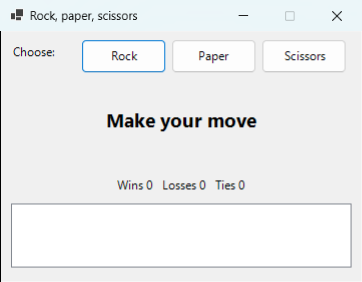
Rock Paper Scissors
Rock, paper, scissors against the computer (a port of ring/applications/rockpaperscissors)
cd samples/UsingDotNet/applications/RockPaperScissors then ring RockPaperScissors.ringSource code
# Rock, paper, scissors against the computer (a port of ring/applications/rockpaperscissors)

load "dotnet.ring"

using {
	"System.Drawing"
	"System.Windows.Forms"
}

aNames = ["Rock","Paper","Scissors"]
nWins = 0
nLosses = 0
nTies = 0

oForm = uiForm("Rock, paper, scissors",360,250)
oForm {
	FormBorderStyle = "FixedSingle"
	MaximizeBox = False
}
uiLabel(oForm,"Choose:",10,12,60,24)
for nChoice = 1 to 3
	uiButton(oForm,aNames[nChoice],80 + (nChoice - 1) * 90,8,85,34,"play(" + nChoice + ")")
next
oResult = uiLabel(oForm,"Make your move",10,60,340,60)
oResult {
	Font = uiFont("Segoe UI",14,true)
	TextAlign = "MiddleCenter"
}
oScore = uiLabel(oForm,"",10,140,340,28)
oScore.TextAlign = "MiddleCenter"
oHistory = uiListBox(oForm,10,172,340,70)
showScore()

uiRun(oForm)

# --------------------------------------------------------------------------

# 1 = the player wins, 0 = tie, -1 = the computer wins (rock = 1, paper = 2, scissors = 3)
func compare nPlayer, nComputer

	if nPlayer = nComputer
		return 0
	but (nPlayer = 1 and nComputer = 3) or (nPlayer = 2 and nComputer = 1) or (nPlayer = 3 and nComputer = 2)
		return 1
	ok
	return -1

func showScore

	oScore.Text = "Wins " + nWins + "   Losses " + nLosses + "   Ties " + nTies

func playAgainst nPlayer, nComputer

	nOutcome = compare(nPlayer,nComputer)
	switch nOutcome
	on 1
		nWins++
		cText = "You win! " + aNames[nPlayer] + " beats " + aNames[nComputer]
	on 0
		nTies++
		cText = "Tie: both chose " + aNames[nPlayer]
	on -1
		nLosses++
		cText = "You lose. " + aNames[nComputer] + " beats " + aNames[nPlayer]
	off
	oResult.Text = cText
	oHistory.Items.Insert(0,cText)
	showScore()
	return nOutcome

func play nPlayer

	playAgainst(nPlayer,random(2) + 1)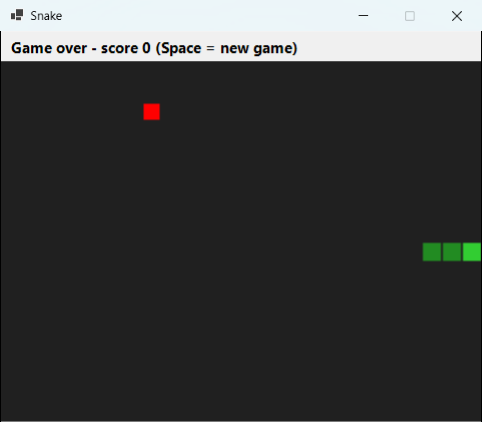
Snake
Snake - arrow keys, eat the food, do not hit the walls or yourself (a port of ring/applications/snake)
cd samples/UsingDotNet/applications/Snake then ring Snake.ringSource code
# Snake - arrow keys, eat the food, do not hit the walls or yourself (a port of ring/applications/snake)

load "dotnet.ring"

using {
	"System.Drawing"
	"System.Windows.Forms"
}

C_COLUMNS = 24
C_ROWS = 18
C_CELL = 20

aSnake = []		# [[x,y], ...] the head first
cDirection = "Right"
cNextDirection = "Right"
aFood = [0,0]
nScore = 0
lAlive = true

oForm = uiForm("Snake",C_COLUMNS * C_CELL,C_ROWS * C_CELL + 30)
oForm {
	KeyPreview = True
	FormBorderStyle = "FixedSingle"
	MaximizeBox = False
}
oPicture = uiPictureBox(oForm,0,30,C_COLUMNS * C_CELL,C_ROWS * C_CELL)
oCanvas = new UiCanvas(oPicture)
oInfo = uiLabel(oForm,"",8,6,300,20)
oInfo.Font = uiFont("Segoe UI",11,true)
uiGameKeys(oForm,"keyPressed(aDotNetArgs[2].KeyCode)")
oTimer = uiTimer(130,"tick()")
newGame()

uiRun(oForm)

# --------------------------------------------------------------------------

func newGame

	aSnake = [[12,9],[11,9],[10,9]]
	cDirection = "Right"
	cNextDirection = "Right"
	nScore = 0
	lAlive = true
	placeFood()
	draw()
	oTimer.Start()

func placeFood

	while true
		aFood = [random(C_COLUMNS - 1),random(C_ROWS - 1)]
		if not onSnake(aFood[1],aFood[2])
			exit
		ok
	end

func onSnake nX, nY

	for aPart in aSnake
		if aPart[1] = nX and aPart[2] = nY
			return true
		ok
	next
	return false

func keyPressed cKey

	if cKey = "Left" and cDirection != "Right"
		cNextDirection = "Left"
	but cKey = "Right" and cDirection != "Left"
		cNextDirection = "Right"
	but cKey = "Up" and cDirection != "Down"
		cNextDirection = "Up"
	but cKey = "Down" and cDirection != "Up"
		cNextDirection = "Down"
	but cKey = "Space" and not lAlive
		newGame()
	ok

# one step of the game
func tick

	if not lAlive
		return
	ok
	cDirection = cNextDirection
	nX = aSnake[1][1]
	nY = aSnake[1][2]
	switch cDirection
	on "Left"	nX--
	on "Right"	nX++
	on "Up"		nY--
	on "Down"	nY++
	off
	if nX < 0 or nY < 0 or nX >= C_COLUMNS or nY >= C_ROWS or onSnake(nX,nY)
		lAlive = false
		oTimer.Stop()
		draw()
		return
	ok
	insert(aSnake,0,[nX,nY])
	if nX = aFood[1] and nY = aFood[2]
		nScore += 10
		placeFood()
	else
		del(aSnake,len(aSnake))
	ok
	draw()

func draw

	oCanvas.clear("#202020")
	oCanvas.fillRect(aFood[1] * C_CELL + 2,aFood[2] * C_CELL + 2,C_CELL - 4,C_CELL - 4,"Red")
	for nIndex = 1 to len(aSnake)
		if nIndex = 1
			oCanvas.fillRect(aSnake[nIndex][1] * C_CELL + 1,aSnake[nIndex][2] * C_CELL + 1,C_CELL - 2,C_CELL - 2,"LimeGreen")
		else
			oCanvas.fillRect(aSnake[nIndex][1] * C_CELL + 1,aSnake[nIndex][2] * C_CELL + 1,C_CELL - 2,C_CELL - 2,"ForestGreen")
		ok
	next
	if lAlive
		oInfo.Text = "Score: " + nScore
	else
		oInfo.Text = "Game over - score " + nScore + " (Space = new game)"
	ok
	oCanvas.show()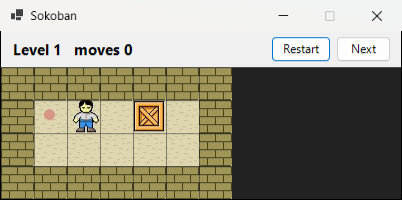
Sokoban
Sokoban - push every box onto a target with the arrow keys (a port of ring/applications/sokoban, with its pictures: the folder images) # wall @ player $ box . target * box on a target + player on a target
cd samples/UsingDotNet/applications/Sokoban then ring Sokoban.ringSource code
# Sokoban - push every box onto a target with the arrow keys (a port of ring/applications/sokoban, with its pictures: the folder images)
#   # wall   @ player   $ box   . target   * box on a target   + player on a target

load "dotnet.ring"

using {
	"System.Drawing"
	"System.Windows.Forms"
}

C_CELL = 33		# the size of the pictures in the folder images

aLevels = [
	["#######",
	 "#.@ $ #",
	 "#     #",
	 "#######"],
	["########",
	 "#      #",
	 "# .$.$ #",
	 "#  @   #",
	 "########"],
	["  #####",
	 "###   #",
	 "#.@$  #",
	 "### $.#",
	 "#.##$ #",
	 "# # . ##",
	 "#$ *$$.#",
	 "#   .  #",
	 "########"]
]
nLevel = 1
aMap = []		# list of strings
nPlayerColumn = 0
nPlayerRow = 0
nMoves = 0
aImages = []		# [tile, picture] for every kind of square: loaded once

loadImages()
oForm = uiForm("Sokoban",400,300)
oForm {
	KeyPreview = True
	FormBorderStyle = "FixedSingle"
	MaximizeBox = False
}
oPicture = uiPictureBox(oForm,0,36,400,264)
oCanvas = new UiCanvas(oPicture)
oInfo = uiLabel(oForm,"",10,8,250,22)
oInfo.Font = uiFont("Segoe UI",11,true)
oRestart = uiButton(oForm,"Restart",270,5,60,26,"loadLevel(nLevel)")
oNext = uiButton(oForm,"Next",335,5,55,26,"nextLevel()")
uiGameKeys(oForm,"keyPressed(aDotNetArgs[2].KeyCode)")
loadLevel(1)

uiRun(oForm)

# --------------------------------------------------------------------------

# the pictures are in the folder images next to the program
func loadImages

	cFolder = ""
	if len(sysargv) > 1
		cScript = substr(sysargv[2],"\\","/")
		for nPos = len(cScript) to 1 step -1
			if cScript[nPos] = "/"
				cFolder = left(cScript,nPos)
				exit
			ok
		next
	ok
	aImages = []
	for aTile in [[" ","empty"],["#","wall"],["@","player"],["+","player"],[".","door"],["$","box"],["*","boxondoor"]]
		aImages + [aTile[1],new Bitmap(cFolder + "images/" + aTile[2] + ".jpg",0)]
	next

func imageOf cTile

	return aImages[find(aImages,cTile,1)][2]

func loadLevel nNumber

	nLevel = nNumber
	aMap = []
	for cRow in aLevels[nLevel]
		aMap + cRow
	next
	nMoves = 0
	fitWindow()
	for nRow = 1 to len(aMap)
		for nColumn = 1 to len(aMap[nRow])
			if aMap[nRow][nColumn] = "@" or aMap[nRow][nColumn] = "+"
				nPlayerColumn = nColumn
				nPlayerRow = nRow
			ok
		next
	next
	draw()

# the window and the picture follow the size of the level
func fitWindow

	nColumns = 0
	for cRow in aMap
		if len(cRow) > nColumns
			nColumns = len(cRow)
		ok
	next
	nWidth = nColumns * C_CELL
	if nWidth < 400
		nWidth = 400
	ok
	nHeight = len(aMap) * C_CELL
	oPicture.Size = new Size(nWidth,nHeight)
	oForm.ClientSize = new Size(nWidth,nHeight + 36)
	oCanvas = new UiCanvas(oPicture)
	oRestart.Left = nWidth - 130
	oNext.Left = nWidth - 65

func nextLevel

	loadLevel(nLevel % len(aLevels) + 1)

func tileAt nColumn, nRow

	if nRow < 1 or nRow > len(aMap) or nColumn < 1 or nColumn > len(aMap[nRow])
		return "#"
	ok
	return aMap[nRow][nColumn]

func setTile nColumn, nRow, cTile

	aMap[nRow][nColumn] = cTile

func isTarget cTile

	return cTile = "." or cTile = "*" or cTile = "+"

func isBox cTile

	return cTile = "$" or cTile = "*"

# the tile left behind: a target stays a target
func without cTile

	if isTarget(cTile)
		return "."
	ok
	return " "

func move nDx, nDy

	nTargetColumn = nPlayerColumn + nDx
	nTargetRow = nPlayerRow + nDy
	cTarget = tileAt(nTargetColumn,nTargetRow)
	if cTarget = "#"
		return false
	but isBox(cTarget)
		cBeyond = tileAt(nTargetColumn + nDx,nTargetRow + nDy)
		if cBeyond = "#" or isBox(cBeyond)
			return false
		ok
		# push the box
		if isTarget(cBeyond)
			setTile(nTargetColumn + nDx,nTargetRow + nDy,"*")
		else
			setTile(nTargetColumn + nDx,nTargetRow + nDy,"$")
		ok
	ok
	# move the player
	cHere = tileAt(nPlayerColumn,nPlayerRow)
	setTile(nPlayerColumn,nPlayerRow,without(cHere))
	if isTarget(cTarget)
		setTile(nTargetColumn,nTargetRow,"+")
	else
		setTile(nTargetColumn,nTargetRow,"@")
	ok
	nPlayerColumn = nTargetColumn
	nPlayerRow = nTargetRow
	nMoves++
	return true

func boxesLeft

	nCount = 0
	for cRow in aMap
		for x = 1 to len(cRow)
			if cRow[x] = "$"
				nCount++
			ok
		next
	next
	return nCount

func keyPressed cKey

	switch cKey
	on "Left"	move(-1,0)
	on "Right"	move(1,0)
	on "Up"		move(0,-1)
	on "Down"	move(0,1)
	off
	draw()

func draw

	oCanvas.clear("#222222")
	for nRow = 1 to len(aMap)
		for nColumn = 1 to len(aMap[nRow])
			oCanvas.oGraphics.DrawImage([ :image = imageOf(aMap[nRow][nColumn]), :x = (nColumn - 1) * C_CELL, :y = (nRow - 1) * C_CELL, :width = C_CELL, :height = C_CELL ])
		next
	next
	if boxesLeft() = 0
		oInfo.Text = "Level " + nLevel + " solved in " + nMoves + " moves!"
	else
		oInfo.Text = "Level " + nLevel + "   moves " + nMoves
	ok
	oCanvas.show()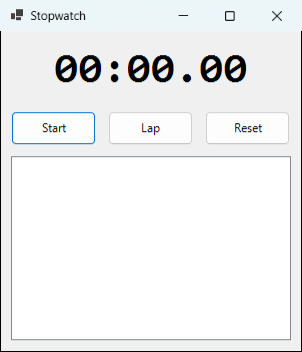
Stopwatch
Stopwatch with laps - a port of ring/applications/stopwatch to RingDotNet
cd samples/UsingDotNet/applications/Stopwatch then ring Stopwatch.ringSource code
# Stopwatch with laps - a port of ring/applications/stopwatch to RingDotNet

load "dotnet.ring"

using {
	"System"
	"System.Diagnostics"
	"System.Threading"
	"System.Drawing"
	"System.Windows.Forms"
}

oWatch = new Stopwatch()
nLastLap = 0

oForm = uiForm("Stopwatch",300,320)
oTime = uiLabel(oForm,"00:00.00",10,10,280,60)
oTime {
	Font = uiFont("Consolas",32,true)
	TextAlign = "MiddleCenter"
}
oStart = uiButton(oForm,"Start",10,80,85,34,"startStop()")
oLap = uiButton(oForm,"Lap",107,80,85,34,"lap()")
oReset = uiButton(oForm,"Reset",204,80,85,34,"reset()")
oLaps = uiListBox(oForm,10,125,280,185)
oTimer = uiTimer(50,"showTime()")

uiRun(oForm)

# --------------------------------------------------------------------------

func formatTime nMilliseconds

	nSeconds = floor(nMilliseconds / 1000)
	nMinutes = floor(nSeconds / 60)
	return twoDigits(nMinutes) + ":" + twoDigits(nSeconds % 60) + "." + twoDigits(floor((nMilliseconds % 1000) / 10))

func twoDigits n

	cText = "" + floor(n)
	if len(cText) < 2
		cText = "0" + cText
	ok
	return cText

func showTime

	oTime.Text = formatTime(oWatch.ElapsedMilliseconds)

func startStop

	if oWatch.IsRunning
		oWatch.Stop()
		oTimer.Stop()
		oStart.Text = "Start"
	else
		oWatch.Start()
		oTimer.Start()
		oStart.Text = "Stop"
	ok
	showTime()

func lap

	if oWatch.ElapsedMilliseconds > 0
		nNow = oWatch.ElapsedMilliseconds
		oLaps.Items.Add("Lap " + (oLaps.Items.Count + 1) + "   " + formatTime(nNow) + "   (+" + formatTime(nNow - nLastLap) + ")")
		nLastLap = nNow
	ok

func reset

	oWatch.Reset()
	oTimer.Stop()
	oStart.Text = "Start"
	oLaps.Items.Clear()
	nLastLap = 0
	showTime()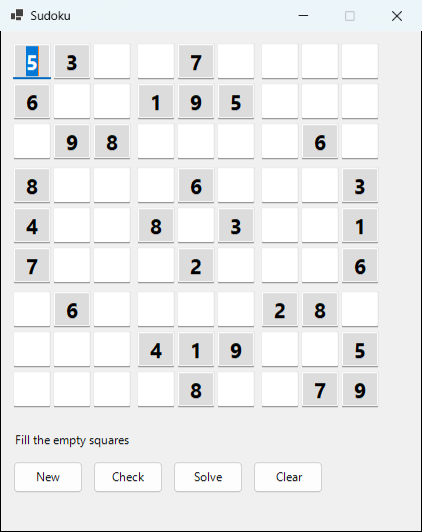
Sudoku
Sudoku - type the digits, "Check" finds mistakes, "Solve" uses backtracking (a port of ring/applications/sudoku)
cd samples/UsingDotNet/applications/Sudoku then ring Sudoku.ringSource code
# Sudoku - type the digits, "Check" finds mistakes, "Solve" uses backtracking (a port of ring/applications/sudoku)

load "dotnet.ring"

using {
	"System.Drawing"
	"System.Windows.Forms"
}

cPuzzle = "530070000600195000098000060800060003400803001700020006060000280000419005000080079"
lLoading = false	# true while the program fills the boxes (the TextChanged events are ignored)
aGrid = list(81)	# the digits, 0 = empty
aFixed = list(81)	# 1 for the digits that belong to the puzzle
aBoxes = []

oForm = uiForm("Sudoku",420,500)
oForm {
	FormBorderStyle = "FixedSingle"
	MaximizeBox = False
}
for nCell = 1 to 81
	nRow = floor((nCell - 1) / 9)
	nColumn = (nCell - 1) % 9
	nX = 12 + nColumn * 40 + floor(nColumn / 3) * 4
	nY = 12 + nRow * 40 + floor(nRow / 3) * 4
	oBox = uiTextBox(oForm,nX,nY,38,38)
	oBox {
		MaxLength = 1
		TextAlign = "Center"
		Font = uiFont("Segoe UI",16,true)
		setTextChangedEvent("typed(" + nCell + ")")
	}
	aBoxes + oBox
next
oInfo = uiLabel(oForm,"",12,400,396,24)
uiButton(oForm,"New",12,430,70,32,"loadPuzzle(cPuzzle)")
uiButton(oForm,"Check",92,430,70,32,"checkBoard()")
uiButton(oForm,"Solve",172,430,70,32,"solveBoard()")
uiButton(oForm,"Clear",252,430,70,32,"loadPuzzle(copy('0',81))")
loadPuzzle(cPuzzle)

uiRun(oForm)

# --------------------------------------------------------------------------

func loadPuzzle cDigits

	lLoading = true
	for nCell = 1 to 81
		aGrid[nCell] = number(cDigits[nCell])
		aFixed[nCell] = (aGrid[nCell] > 0)
		if aGrid[nCell] > 0
			aBoxes[nCell].Text = "" + aGrid[nCell]
		else
			aBoxes[nCell].Text = ""
		ok
		aBoxes[nCell].ReadOnly = aFixed[nCell]
		if aFixed[nCell]
			aBoxes[nCell].BackColor = uiColor("Gainsboro")
		else
			aBoxes[nCell].BackColor = uiColor("White")
		ok
	next
	lLoading = false
	oInfo.Text = "Fill the empty squares"

func typed nCell

	if lLoading or aFixed[nCell]
		return
	ok
	cText = aBoxes[nCell].Text
	if cText = "" or (len(cText) = 1 and isdigit(cText) and cText != "0")
		if cText = ""
			aGrid[nCell] = 0
		else
			aGrid[nCell] = number(cText)
		ok
		aBoxes[nCell].ForeColor = uiColor("Black")
	else
		lLoading = true
		aBoxes[nCell].Text = ""
		lLoading = false
		aGrid[nCell] = 0
	ok

# can nDigit go in the cell without breaking a rule
func canPlace aCells, nCell, nDigit

	nRow = floor((nCell - 1) / 9)
	nColumn = (nCell - 1) % 9
	for nOther = 0 to 8
		if aCells[nRow * 9 + nOther + 1] = nDigit and nRow * 9 + nOther + 1 != nCell
			return false
		but aCells[nOther * 9 + nColumn + 1] = nDigit and nOther * 9 + nColumn + 1 != nCell
			return false
		ok
	next
	nBoxRow = floor(nRow / 3) * 3
	nBoxColumn = floor(nColumn / 3) * 3
	for nR = 0 to 2
		for nC = 0 to 2
			nIndex = (nBoxRow + nR) * 9 + nBoxColumn + nC + 1
			if aCells[nIndex] = nDigit and nIndex != nCell
				return false
			ok
		next
	next
	return true

# backtracking solver; fills aCells and returns true when the puzzle has a solution
func solve aCells

	nEmpty = 0
	for nCell = 1 to 81
		if aCells[nCell] = 0
			nEmpty = nCell
			exit
		ok
	next
	if nEmpty = 0
		return true
	ok
	for nDigit = 1 to 9
		if canPlace(aCells,nEmpty,nDigit)
			aCells[nEmpty] = nDigit
			if solve(aCells)
				return true
			ok
			aCells[nEmpty] = 0
		ok
	next
	return false

func solveBoard

	aWork = aGrid
	if solve(aWork)
		lLoading = true
		for nCell = 1 to 81
			aGrid[nCell] = aWork[nCell]
			aBoxes[nCell].Text = "" + aWork[nCell]
		next
		lLoading = false
		oInfo.Text = "Solved"
	else
		oInfo.Text = "This puzzle has no solution"
	ok

# mark the digits that break a rule
func checkBoard

	nWrong = 0
	for nCell = 1 to 81
		if aGrid[nCell] > 0 and not canPlace(aGrid,nCell,aGrid[nCell])
			aBoxes[nCell].ForeColor = uiColor("Red")
			nWrong++
		else
			aBoxes[nCell].ForeColor = uiColor("Black")
		ok
	next
	nEmpty = 0
	for nValue in aGrid
		if nValue = 0
			nEmpty++
		ok
	next
	if nWrong > 0
		oInfo.Text = "" + nWrong + " digits break the rules"
	but nEmpty > 0
		oInfo.Text = "So far so good, " + nEmpty + " squares left"
	else
		oInfo.Text = "Complete and correct!"
	ok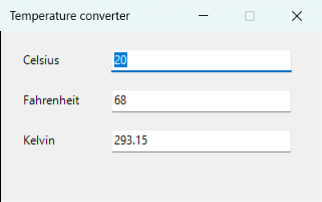
Temperature Converter
Temperature converter: type in any box and the others follow (TextChanged events)
cd samples/UsingDotNet/applications/TemperatureConverter then ring TemperatureConverter.ringSource code
# Temperature converter: type in any box and the others follow (TextChanged events)

load "dotnet.ring"

using {
	"System.Drawing"
	"System.Windows.Forms"
}

lUpdating = false

oForm = uiForm("Temperature converter",320,170)
oForm {
	FormBorderStyle = "FixedDialog"
	MaximizeBox = False
}
uiLabel(oForm,"Celsius",20,20,80,24)
uiLabel(oForm,"Fahrenheit",20,60,80,24)
uiLabel(oForm,"Kelvin",20,100,80,24)
oCelsius = uiTextBox(oForm,110,18,180,26)
oFahrenheit = uiTextBox(oForm,110,58,180,26)
oKelvin = uiTextBox(oForm,110,98,180,26)
oCelsius.setTextChangedEvent("fromCelsius()")
oFahrenheit.setTextChangedEvent("fromFahrenheit()")
oKelvin.setTextChangedEvent("fromKelvin()")
oCelsius.Text = "20"

uiRun(oForm)

# --------------------------------------------------------------------------

func isValidNumber cText

	cText = trim(cText)
	if cText = "" or cText = "-" or cText = "."
		return false
	ok
	cDigits = substr(substr(cText,"-",""),".","")
	for x = 1 to len(cDigits)
		if not isdigit(cDigits[x])
			return false
		ok
	next
	return true

func show oBox, nValue

	lUpdating = true
	oBox.Text = uiNumber(floor(nValue * 100 + 0.5) / 100)
	lUpdating = false

func fromCelsius

	if lUpdating or not isValidNumber(oCelsius.Text)
		return
	ok
	nValue = number(oCelsius.Text)
	show(oFahrenheit,nValue * 9 / 5 + 32)
	show(oKelvin,nValue + 273.15)

func fromFahrenheit

	if lUpdating or not isValidNumber(oFahrenheit.Text)
		return
	ok
	nValue = (number(oFahrenheit.Text) - 32) * 5 / 9
	show(oCelsius,nValue)
	show(oKelvin,nValue + 273.15)

func fromKelvin

	if lUpdating or not isValidNumber(oKelvin.Text)
		return
	ok
	nValue = number(oKelvin.Text) - 273.15
	show(oCelsius,nValue)
	show(oFahrenheit,nValue * 9 / 5 + 32)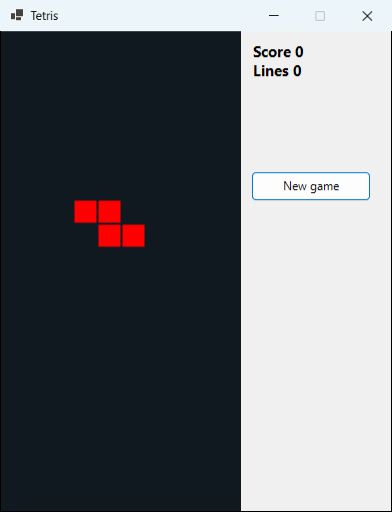
Tetris
Tetris - Left/Right move, Up rotates, Down drops one row, Space drops all the way (a port of ring/applications/tetris)
cd samples/UsingDotNet/applications/Tetris then ring Tetris.ringSource code
# Tetris - Left/Right move, Up rotates, Down drops one row, Space drops all the way (a port of ring/applications/tetris)

load "dotnet.ring"

using {
	"System.Drawing"
	"System.Windows.Forms"
}

C_COLUMNS = 10
C_ROWS = 20
C_CELL = 24

# the 7 pieces: each is a list of [column, row] cells (rotated around the first cell)
aPieces = [
	[[0,0],[-1,0],[1,0],[2,0]],	# I
	[[0,0],[1,0],[0,1],[1,1]],	# O
	[[0,0],[-1,0],[1,0],[0,1]],	# T
	[[0,0],[-1,0],[1,0],[1,1]],	# L
	[[0,0],[-1,0],[1,0],[-1,1]],	# J
	[[0,0],[1,0],[-1,1],[0,1]],	# S
	[[0,0],[-1,0],[0,1],[1,1]]	# Z
]
aColors = ["Cyan","Gold","Purple","Orange","RoyalBlue","LimeGreen","Red"]

aBoard = list(C_COLUMNS * C_ROWS)	# 0 = empty, otherwise the piece number
aCurrent = []		# the cells of the falling piece (offsets)
nPiece = 0
nPieceX = 0
nPieceY = 0
nScore = 0
nLines = 0
lGameOver = false

oForm = uiForm("Tetris",C_COLUMNS * C_CELL + 150,C_ROWS * C_CELL)
oForm {
	KeyPreview = True
	FormBorderStyle = "FixedSingle"
	MaximizeBox = False
}
oPicture = uiPictureBox(oForm,0,0,C_COLUMNS * C_CELL,C_ROWS * C_CELL)
oCanvas = new UiCanvas(oPicture)
oInfo = uiLabel(oForm,"",C_COLUMNS * C_CELL + 10,10,130,120)
oInfo.Font = uiFont("Segoe UI",11,true)
oNewGame = uiButton(oForm,"New game",C_COLUMNS * C_CELL + 10,140,120,30,"newGame()")
uiGameKeys(oForm,"keyPressed(aDotNetArgs[2].KeyCode)")
oTimer = uiTimer(500,"tick()")
newGame()

uiRun(oForm)

# --------------------------------------------------------------------------

func cellOf nColumn, nRow

	return nRow * C_COLUMNS + nColumn + 1

# does the piece fit at the position
func fits aCells, nX, nY

	for aCell in aCells
		nColumn = nX + aCell[1]
		nRow = nY + aCell[2]
		if nColumn < 0 or nColumn >= C_COLUMNS or nRow >= C_ROWS
			return false
		but nRow >= 0 and aBoard[cellOf(nColumn,nRow)] != 0
			return false
		ok
	next
	return true

func rotated aCells

	aNew = []
	for aCell in aCells
		aNew + [-aCell[2],aCell[1]]
	next
	return aNew

func newPiece

	nPiece = random(len(aPieces) - 1) + 1
	aCurrent = aPieces[nPiece]
	nPieceX = 4
	nPieceY = 0
	if not fits(aCurrent,nPieceX,nPieceY)
		lGameOver = true
		oTimer.Stop()
	ok

func newGame

	aBoard = list(C_COLUMNS * C_ROWS)
	nScore = 0
	nLines = 0
	lGameOver = false
	newPiece()
	draw()
	oTimer.Start()

# lock the piece into the board and clear the full rows
func lockPiece

	for aCell in aCurrent
		nColumn = nPieceX + aCell[1]
		nRow = nPieceY + aCell[2]
		if nRow >= 0
			aBoard[cellOf(nColumn,nRow)] = nPiece
		ok
	next
	nCleared = clearRows()
	aPoints = [0,100,300,500,800]
	nScore += aPoints[nCleared + 1]
	nLines += nCleared
	newPiece()

func clearRows

	nCleared = 0
	nRow = C_ROWS - 1
	while nRow >= 0
		lFull = true
		for nColumn = 0 to C_COLUMNS - 1
			if aBoard[cellOf(nColumn,nRow)] = 0
				lFull = false
				exit
			ok
		next
		if lFull
			# move everything above one row down
			for nMove = nRow to 1 step -1
				for nColumn = 0 to C_COLUMNS - 1
					aBoard[cellOf(nColumn,nMove)] = aBoard[cellOf(nColumn,nMove - 1)]
				next
			next
			for nColumn = 0 to C_COLUMNS - 1
				aBoard[cellOf(nColumn,0)] = 0
			next
			nCleared++
		else
			nRow--
		ok
	end
	return nCleared

func tick

	if lGameOver
		return
	but fits(aCurrent,nPieceX,nPieceY + 1)
		nPieceY++
	else
		lockPiece()
	ok
	draw()

func keyPressed cKey

	if lGameOver
		return
	ok
	switch cKey
	on "Left"
		if fits(aCurrent,nPieceX - 1,nPieceY)
			nPieceX--
		ok
	on "Right"
		if fits(aCurrent,nPieceX + 1,nPieceY)
			nPieceX++
		ok
	on "Up"
		aTurned = rotated(aCurrent)
		if fits(aTurned,nPieceX,nPieceY)
			aCurrent = aTurned
		ok
	on "Down"
		tick()
	on "Space"
		while fits(aCurrent,nPieceX,nPieceY + 1)
			nPieceY++
		end
		lockPiece()
	off
	draw()

func draw

	oCanvas.clear("#101820")
	for nRow = 0 to C_ROWS - 1
		for nColumn = 0 to C_COLUMNS - 1
			nValue = aBoard[cellOf(nColumn,nRow)]
			if nValue > 0
				oCanvas.fillRect(nColumn * C_CELL + 1,nRow * C_CELL + 1,C_CELL - 2,C_CELL - 2,aColors[nValue])
			ok
		next
	next
	if not lGameOver
		for aCell in aCurrent
			oCanvas.fillRect((nPieceX + aCell[1]) * C_CELL + 1,(nPieceY + aCell[2]) * C_CELL + 1,C_CELL - 2,C_CELL - 2,aColors[nPiece])
		next
	ok
	cText = "Score " + nScore + nl + "Lines " + nLines
	if lGameOver
		cText += nl + nl + "GAME OVER"
	ok
	oInfo.Text = cText
	oCanvas.show()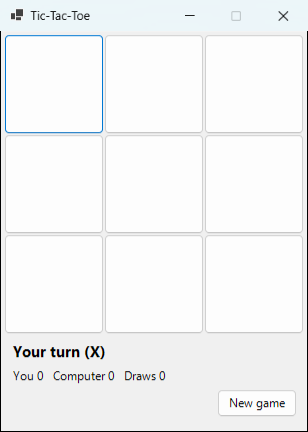
Tic Tac Toe
Tic-Tac-Toe against the computer - a port of ring/applications/tictactoe to RingDotNet
cd samples/UsingDotNet/applications/TicTacToe then ring TicTacToe.ringSource code
# Tic-Tac-Toe against the computer - a port of ring/applications/tictactoe to RingDotNet

load "dotnet.ring"

using {
	"System.Drawing"
	"System.Windows.Forms"
}

aBoard = list(9)	# 0 = empty, 1 = X (you), 2 = O (computer)
aButtons = []
lGameOver = false
nWinsX = 0
nWinsO = 0
nDraws = 0
aLines = [[1,2,3],[4,5,6],[7,8,9],[1,4,7],[2,5,8],[3,6,9],[1,5,9],[3,5,7]]

oForm = uiForm("Tic-Tac-Toe",306,400)
oForm {
	FormBorderStyle = "FixedSingle"
	MaximizeBox = False
}

for nIndex = 1 to 9
	nRow = floor((nIndex - 1) / 3)
	nCol = (nIndex - 1) % 3
	oButton = uiButton(oForm,"",3 + nCol * 100,3 + nRow * 100,100,100,"move(" + nIndex + ")")
	oButton.Font = uiFont("Segoe UI",36,true)
	aButtons + oButton
next

oStatus = uiLabel(oForm,"Your turn (X)",10,310,286,24)
oStatus.Font = uiFont("Segoe UI",11,true)
oScore = uiLabel(oForm,"",10,336,286,20)
uiButton(oForm,"New game",216,358,80,28,"newGame()")
showScore()

uiRun(oForm)

# --------------------------------------------------------------------------

func showScore

	oScore.Text = "You " + nWinsX + "   Computer " + nWinsO + "   Draws " + nDraws

func newGame

	aBoard = list(9)
	lGameOver = false
	for oButton in aButtons
		oButton {
			Text = ""
			BackColor = new Color().Empty
		}
	next
	oStatus.Text = "Your turn (X)"

func move nIndex

	if lGameOver or aBoard[nIndex] != 0
		return
	ok
	place(nIndex,1)
	if not lGameOver
		place(computerMove(),2)
	ok

func place nIndex, nPlayer

	aBoard[nIndex] = nPlayer
	if nPlayer = 1
		aButtons[nIndex].Text = "X"
		aButtons[nIndex].ForeColor = uiColor("DarkBlue")
	else
		aButtons[nIndex].Text = "O"
		aButtons[nIndex].ForeColor = uiColor("DarkRed")
	ok
	nWinner = winner(aBoard)
	if nWinner > 0
		lGameOver = true
		for nCell in aLines[nWinner]
			aButtons[nCell].BackColor = uiColor("LightGreen")
		next
		if aBoard[aLines[nWinner][1]] = 1
			nWinsX++
			oStatus.Text = "You win!"
		else
			nWinsO++
			oStatus.Text = "The computer wins"
		ok
		showScore()
	but isFull(aBoard)
		lGameOver = true
		nDraws++
		oStatus.Text = "Draw"
		showScore()
	else
		oStatus.Text = "Your turn (X)"
	ok

# index of the winning line (0 = none)
func winner aCells

	for nLine = 1 to len(aLines)
		nA = aCells[aLines[nLine][1]]
		if nA != 0 and nA = aCells[aLines[nLine][2]] and nA = aCells[aLines[nLine][3]]
			return nLine
		ok
	next
	return 0

func isFull aCells

	for nCell in aCells
		if nCell = 0
			return false
		ok
	next
	return true

# a cell that wins or blocks, else the center, a corner, any cell
func computerMove

	for nPlayer in [2,1]
		for nCell = 1 to 9
			if aBoard[nCell] = 0
				aBoard[nCell] = nPlayer
				nLineFound = winner(aBoard)
				aBoard[nCell] = 0
				if nLineFound > 0
					return nCell
				ok
			ok
		next
	next
	for nCell in [5,1,3,7,9,2,4,6,8]
		if aBoard[nCell] = 0
			return nCell
		ok
	next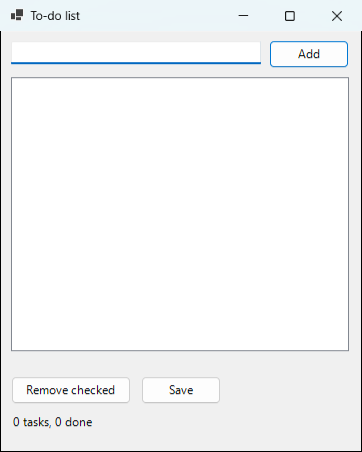
Todo List
To-do list with check boxes, saved to a text file
cd samples/UsingDotNet/applications/TodoList then ring TodoList.ringSource code
# To-do list with check boxes, saved to a text file

load "dotnet.ring"

using {
	"System"
	"System.IO"
	"System.Drawing"
	"System.Windows.Forms"
}

cFile = new Path().Combine([new Path().GetTempPath(),"ringdotnet_todo.txt"])
if uiSelfTest()
	cFile = new Path().Combine([new Path().GetTempPath(),"ringdotnet_todo_selftest.txt"])
ok

oForm = uiForm("To-do list",360,420)
oInput = uiTextBox(oForm,10,10,250,26)
uiButton(oForm,"Add",268,9,80,28,"addTask()")
oList = new CheckedListBox() {
	Location = new Point(10,46)
	Size = new Size(338,290)
	CheckOnClick = True
}
# ItemCheck fires before the state changes, so the counters are refreshed after the mouse or key press
oList {
	setMouseUpEvent("updateInfo()")
	setKeyUpEvent("updateInfo()")
}
oForm.Controls.Add(oList)
uiButton(oForm,"Remove checked",10,345,120,28,"removeDone()")
uiButton(oForm,"Save",140,345,80,28,"saveTasks()")
oInfo = uiLabel(oForm,"",10,382,338,22)
oForm.AcceptButton = oForm.Controls.Item(1)
loadTasks()

uiRun(oForm)

# --------------------------------------------------------------------------

func updateInfo

	nDone = oList.CheckedItems.Count
	oInfo.Text = string(oList.Items.Count) + " tasks, " + nDone + " done"

func addTask

	cTask = trim(oInput.Text)
	if cTask != ""
		oList.Items.Add([ :item = cTask, :isChecked = False ])
		oInput.Text = ""
		updateInfo()
	ok

func removeDone

	for nIndex = oList.Items.Count - 1 to 0 step -1
		if oList.GetItemChecked(nIndex)
			oList.Items.RemoveAt(nIndex)
		ok
	next
	updateInfo()

# one line per task: "[x] text" or "[ ] text"
func saveTasks

	cText = ""
	for nIndex = 0 to oList.Items.Count - 1
		if oList.GetItemChecked(nIndex)
			cText += "[x] "
		else
			cText += "[ ] "
		ok
		cText += oList.Items.Item(nIndex) + nl
	next
	new File().WriteAllText([ :path = cFile, :contents = cText ])

func loadTasks

	oList.Items.Clear()
	if new File().Exists(cFile)
		aLines = str2list(new File().ReadAllText(cFile))
		for cLine in aLines
			cLine = trim(cLine)
			if len(cLine) > 4
				oList.Items.Add([ :item = substr(cLine,5), :isChecked = (left(cLine,3) = "[x]") ])
			ok
		next
	ok
	updateInfo()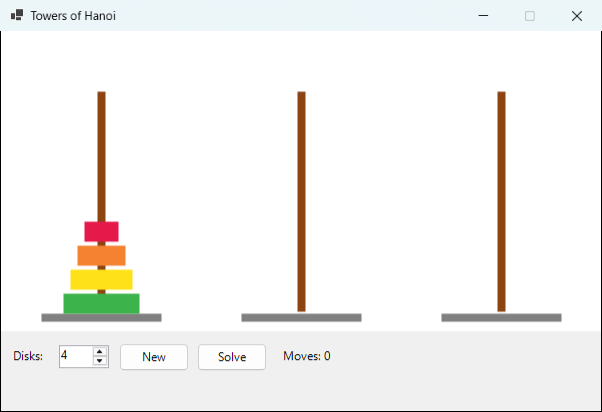
Towers Of Hanoi
Towers of Hanoi - click a peg to pick the top disk, click another peg to drop it; or let it solve itself (a port of ring/applications/towersofhanoi to RingDotNet)
cd samples/UsingDotNet/applications/TowersOfHanoi then ring TowersOfHanoi.ringSource code
# Towers of Hanoi - click a peg to pick the top disk, click another peg to drop it; or let it solve itself
# (a port of ring/applications/towersofhanoi to RingDotNet)

load "dotnet.ring"

using {
	"System.Drawing"
	"System.Windows.Forms"
}

nDisks = 4
aPegs = [[],[],[]]	# each peg is a list of disk sizes, the bottom disk first
nHeld = 0		# the peg we picked from (0 = nothing in the hand)
nMoves = 0
aPlan = []		# the moves of the solver: [from,to]
nPlanned = 0

oForm = uiForm("Towers of Hanoi",600,380)
oForm {
	FormBorderStyle = "FixedSingle"
	MaximizeBox = False
}
oPicture = uiPictureBox(oForm,0,0,600,300)
oCanvas = new UiCanvas(oPicture)
oPicture.setMouseDownEvent("clicked(aDotNetArgs[2].X)")
uiLabel(oForm,"Disks:",10,316,45,24)
oCount = new NumericUpDown() {
	Location = new Point(58,314)
	Size = new Size(50,24)
	Minimum = 1
	Maximum = 8
	Value = 4
}
oForm.Controls.Add(oCount)
uiButton(oForm,"New",118,312,70,28,"newGame()")
uiButton(oForm,"Solve",196,312,70,28,"startSolver()")
oInfo = uiLabel(oForm,"",280,316,310,24)
oSolver = uiTimer(300,"solverStep()")
newGame()

uiRun(oForm)

# --------------------------------------------------------------------------

func newGame

	oSolver.Stop()
	nDisks = number(oCount.Value)
	aPegs = [[],[],[]]
	for nSize = nDisks to 1 step -1
		aPegs[1] + nSize
	next
	nHeld = 0
	nMoves = 0
	draw()

func draw

	oCanvas.clear("White")
	for nPeg = 1 to 3
		nX = 100 + (nPeg - 1) * 200
		oCanvas.fillRect(nX - 4,60,8,220,"SaddleBrown")
		if nPeg = nHeld
			oCanvas.fillRect(nX - 60,282,120,8,"Orange")
		else
			oCanvas.fillRect(nX - 60,282,120,8,"Gray")
		ok
		for nLevel = 1 to len(aPegs[nPeg])
			nSize = aPegs[nPeg][nLevel]
			nWidth = 20 + nSize * 14
			oCanvas.fillRect(nX - nWidth / 2,262 - (nLevel - 1) * 24,nWidth,20,diskColor(nSize))
		next
	next
	if isSolved()
		oInfo.Text = "Solved in " + nMoves + " moves (minimum " + (pow(2,nDisks) - 1) + ")"
	else
		oInfo.Text = "Moves: " + nMoves
	ok
	oCanvas.show()

func diskColor nSize

	aColors = ["#e6194b","#f58231","#ffe119","#3cb44b","#4363d8","#911eb4","#f032e6","#808000"]
	return aColors[nSize]

func isSolved

	return len(aPegs[3]) = nDisks

# can the top disk of nFrom go to nTo
func canMove nFrom, nTo

	if nFrom = nTo or len(aPegs[nFrom]) = 0
		return false
	but len(aPegs[nTo]) = 0
		return true
	ok
	return aPegs[nFrom][len(aPegs[nFrom])] < aPegs[nTo][len(aPegs[nTo])]

func moveDisk nFrom, nTo

	if not canMove(nFrom,nTo)
		return false
	ok
	aPegs[nTo] + aPegs[nFrom][len(aPegs[nFrom])]
	del(aPegs[nFrom],len(aPegs[nFrom]))
	nMoves++
	return true

func clicked nMouseX

	nPeg = floor(nMouseX / 200) + 1
	if nPeg > 3
		nPeg = 3
	ok
	if nHeld = 0
		if len(aPegs[nPeg]) > 0
			nHeld = nPeg
		ok
	else
		moveDisk(nHeld,nPeg)
		nHeld = 0
	ok
	draw()

# the recursive solution, collected as a list of moves
func solve nCount, nFrom, nTo, nVia

	if nCount = 0
		return
	ok
	solve(nCount - 1,nFrom,nVia,nTo)
	aPlan + [nFrom,nTo]
	solve(nCount - 1,nVia,nTo,nFrom)

func startSolver

	newGame()
	aPlan = []
	solve(nDisks,1,3,2)
	nPlanned = 0
	oSolver.Start()

func solverStep

	nPlanned++
	if nPlanned > len(aPlan)
		oSolver.Stop()
		return
	ok
	moveDisk(aPlan[nPlanned][1],aPlan[nPlanned][2])
	draw()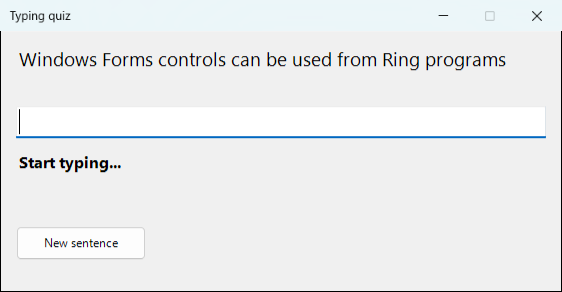
Typing Quiz
Typing quiz - type the sentence, the quiz measures the speed and the mistakes (a port of ring/applications/typingquiz)
cd samples/UsingDotNet/applications/TypingQuiz then ring TypingQuiz.ringSource code
# Typing quiz - type the sentence, the quiz measures the speed and the mistakes (a port of ring/applications/typingquiz)

load "dotnet.ring"

using {
	"System"
	"System.Diagnostics"
	"System.Drawing"
	"System.Windows.Forms"
}

aSentences = [
	"The quick brown fox jumps over the lazy dog",
	"Ring is a practical language for building applications",
	"Windows Forms controls can be used from Ring programs",
	"A journey of a thousand miles begins with a single step"
]
cTarget = ""
oWatch = new Stopwatch()
lStarted = false
nBest = 0

oForm = uiForm("Typing quiz",560,260)
oForm {
	FormBorderStyle = "FixedDialog"
	MaximizeBox = False
}
oSentence = uiLabel(oForm,"",15,15,530,50)
oSentence.Font = uiFont("Segoe UI",14,false)
oInput = uiTextBox(oForm,15,75,530,30)
oInput {
	Font = uiFont("Segoe UI",14,false)
	setTextChangedEvent("typed()")
}
oResult = uiLabel(oForm,"",15,120,530,60)
oResult.Font = uiFont("Segoe UI",12,true)
uiButton(oForm,"New sentence",15,195,130,34,"newSentence()")
oBest = uiLabel(oForm,"",160,203,300,22)
newSentence()

uiRun(oForm)

# --------------------------------------------------------------------------

func newSentence

	cTarget = aSentences[random(len(aSentences) - 1) + 1]
	showTarget(cTarget)
	oInput.Text = ""
	oResult {
		Text = "Start typing..."
		ForeColor = uiColor("Black")
	}
	oWatch.Reset()
	lStarted = false
	oInput.Focus()

func showTarget cText

	cTarget = cText
	oSentence.Text = cText

# the number of typed characters that differ from the target (the part that is not typed yet does not count)
func mistakes cTyped

	nWrong = 0
	for x = 1 to len(cTarget)
		if x <= len(cTyped) and cTyped[x] != cTarget[x]
			nWrong++
		ok
	next
	if len(cTyped) > len(cTarget)
		nWrong += len(cTyped) - len(cTarget)
	ok
	return nWrong

# words per minute: five characters make a word
func wordsPerMinute nCharacters, nMilliseconds

	if nMilliseconds <= 0
		return 0
	ok
	return floor((nCharacters / 5) / (nMilliseconds / 60000))

func typed

	cTyped = oInput.Text
	if cTyped = "" or cTarget = ""
		return
	but not lStarted
		oWatch.Start()
		lStarted = true
	ok
	if cTyped = cTarget
		oWatch.Stop()
		nSpeed = wordsPerMinute(len(cTarget),oWatch.ElapsedMilliseconds)
		oResult {
			Text = "Done! " + nSpeed + " words per minute"
			ForeColor = uiColor("DarkGreen")
		}
		if nSpeed > nBest
			nBest = nSpeed
			oBest.Text = "Best: " + nBest + " wpm"
		ok
	else
		nWrong = mistakes(cTyped)
		if nWrong = 0
			oResult {
				Text = "Good so far..."
				ForeColor = uiColor("Black")
			}
		else
			oResult {
				Text = "" + nWrong + " characters are different"
				ForeColor = uiColor("Firebrick")
			}
		ok
	ok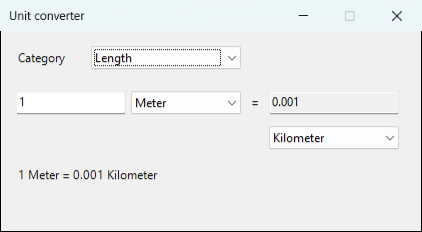
Unit Converter
Unit converter - length, weight, volume and temperature
cd samples/UsingDotNet/applications/UnitConverter then ring UnitConverter.ringSource code
# Unit converter - length, weight, volume and temperature

load "dotnet.ring"

using {
	"System.Drawing"
	"System.Windows.Forms"
}

# each category: [name, [[unit, factor to the base unit], ...]] (temperature is handled separately)
aCategories = [
	["Length",[["Meter",1],["Kilometer",1000],["Centimeter",0.01],["Millimeter",0.001],["Mile",1609.344],["Yard",0.9144],["Foot",0.3048],["Inch",0.0254]]],
	["Weight",[["Kilogram",1],["Gram",0.001],["Milligram",0.000001],["Pound",0.45359237],["Ounce",0.028349523125],["Ton",1000]]],
	["Volume",[["Liter",1],["Milliliter",0.001],["Cubic meter",1000],["Gallon (US)",3.785411784],["Quart (US)",0.946352946],["Cup (US)",0.2365882365]]],
	["Temperature",[["Celsius",0],["Fahrenheit",0],["Kelvin",0]]]
]

oForm = uiForm("Unit converter",420,200)
oForm {
	FormBorderStyle = "FixedDialog"
	MaximizeBox = False
}
aNames = []
for aCategory in aCategories
	aNames + aCategory[1]
next
uiLabel(oForm,"Category",15,18,70,22)
oCategory = uiComboBox(oForm,90,15,150,aNames)
oValue = uiTextBox(oForm,15,60,110,26)
oFrom = uiComboBox(oForm,130,60,110,["-"])
uiLabel(oForm,"=",248,62,16,22)
oResult = uiTextBox(oForm,268,60,130,26)
oResult.ReadOnly = True
oTo = uiComboBox(oForm,268,95,130,["-"])
oFormula = uiLabel(oForm,"",15,135,380,40)
oCategory.setSelectedIndexChangedEvent("fillUnits()")
oValue.setTextChangedEvent("convert()")
oFrom.setSelectedIndexChangedEvent("convert()")
oTo.setSelectedIndexChangedEvent("convert()")
fillUnits()
oValue.Text = "1"

uiRun(oForm)

# --------------------------------------------------------------------------

func fillUnits

	aUnits = aCategories[oCategory.SelectedIndex + 1][2]
	oFrom.Items.Clear()
	oTo.Items.Clear()
	for aUnit in aUnits
		oFrom.Items.Add(aUnit[1])
		oTo.Items.Add(aUnit[1])
	next
	oFrom.SelectedIndex = 0
	oTo.SelectedIndex = 1
	convert()

func toCelsius cUnit, nValue

	switch cUnit
	on "Celsius"	return nValue
	on "Fahrenheit"	return (nValue - 32) * 5 / 9
	on "Kelvin"	return nValue - 273.15
	off

func fromCelsius cUnit, nValue

	switch cUnit
	on "Celsius"	return nValue
	on "Fahrenheit"	return nValue * 9 / 5 + 32
	on "Kelvin"	return nValue + 273.15
	off

# convert nValue between two units of a category
func convertValue cCategory, cFromUnit, cToUnit, nValue

	if cCategory = "Temperature"
		return fromCelsius(cToUnit,toCelsius(cFromUnit,nValue))
	ok
	for aCategory in aCategories
		if aCategory[1] = cCategory
			nFromFactor = 0
			nToFactor = 0
			for aUnit in aCategory[2]
				if aUnit[1] = cFromUnit
					nFromFactor = aUnit[2]
				ok
				if aUnit[1] = cToUnit
					nToFactor = aUnit[2]
				ok
			next
			return nValue * nFromFactor / nToFactor
		ok
	next

func isNumeric cText

	cText = trim(cText)
	if cText = "" or cText = "-" or cText = "."
		return false
	ok
	cDigits = substr(substr(cText,"-",""),".","")
	for x = 1 to len(cDigits)
		if not isdigit(cDigits[x])
			return false
		ok
	next
	return true

func convert

	if oFrom.SelectedIndex < 0 or oTo.SelectedIndex < 0 or not isNumeric(oValue.Text)
		oResult.Text = ""
		return
	ok
	nResult = convertValue(oCategory.Text,oFrom.Text,oTo.Text,number(oValue.Text))
	oResult.Text = uiNumber(floor(nResult * 1000000 + 0.5) / 1000000)
	oFormula.Text = oValue.Text + " " + oFrom.Text + " = " + oResult.Text + " " + oTo.Text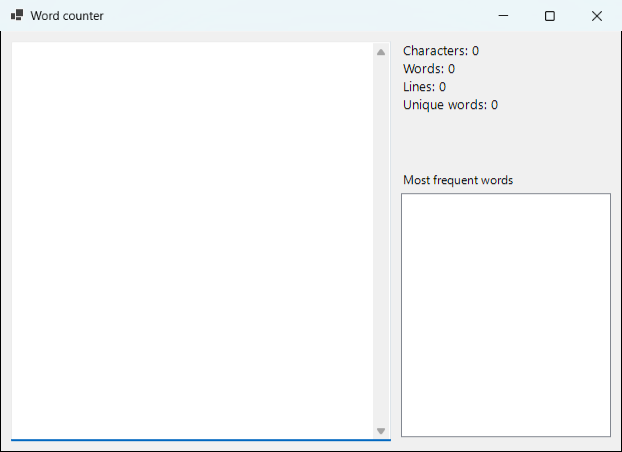
Word Counter
Word counter - live statistics of the text and the most frequent words (uses a .NET Regex and Dictionary)
cd samples/UsingDotNet/applications/WordCounter then ring WordCounter.ringSource code
# Word counter - live statistics of the text and the most frequent words (uses a .NET Regex and Dictionary)

load "dotnet.ring"

using {
	"System.Text.RegularExpressions"
	"System.Collections.Generic"
	"System.Linq"
	"System.Drawing"
	"System.Windows.Forms"
}

oForm = uiForm("Word counter",620,420)
oText = uiMemo(oForm,10,10,380,400)
oText {
	WordWrap = True
	ScrollBars = "Vertical"
}
oStats = uiLabel(oForm,"",400,10,210,120)
oStats.Font = uiFont("Segoe UI",10,false)
uiLabel(oForm,"Most frequent words",400,140,200,20)
oTop = uiListBox(oForm,400,162,210,248)
oText.setTextChangedEvent("update()")
update()

uiRun(oForm)

# --------------------------------------------------------------------------

# the words of a text (letters and digits, lower case)
func wordsOf cText

	oMatches = new Regex("[\p{L}\p{N}']+").Matches(cText)
	aWords = []
	aMatches = oMatches.toList()
	for oMatch in aMatches
		aWords + lower(oMatch.Value)
	next
	return aWords

func update

	cText = oText.Text
	aWords = wordsOf(cText)
	nChars = len(cText)
	nLines = 0
	if cText != ""
		nLines = len(str2list(cText))
	ok
	oStats.Text = "Characters: " + nChars + nl + "Words: " + len(aWords) + nl + "Lines: " + nLines + nl + "Unique words: " + len(uniqueWords(aWords))
	oTop.Items.Clear()
	aCounts = countWords(aWords)
	nShown = 0
	for nIndex = len(aCounts) to 1 step -1
		if nShown < 10
			oTop.Items.Add(aCounts[nIndex][1] + "  x" + aCounts[nIndex][2])
			nShown++
		ok
	next

func uniqueWords aWords

	return dnQuery(aWords).Distinct().ToList()

# [[word, count], ...] sorted by count: the most frequent word is the last one
func countWords aWords

	oCounts = new NumberDictionary()
	for cWord in aWords
		aGot = oCounts.TryGetValue(cWord)
		nOld = 0
		if aGot[1]
			nOld = aGot[2]
		ok
		oCounts.SetItem(cWord,nOld + 1)
	next
	aList = []
	aPairs = oCounts.toList()
	for oPair in aPairs
		aList + [oPair.Key,oPair.Value]
	next
	return sort(aList,2)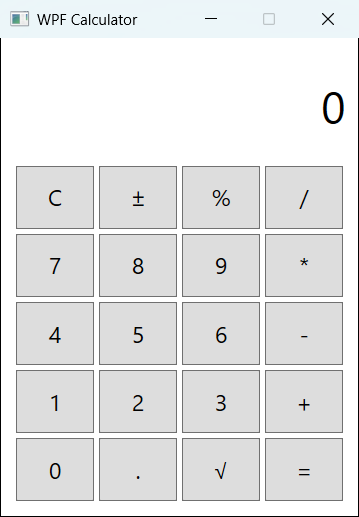
Wpf Calculator
Calculator with a WPF window described in XAML (the calculator logic is the one of the Windows Forms Calculator)
cd samples/UsingDotNet/applications/WpfCalculator then ring WpfCalculator.ringSource code
# Calculator with a WPF window described in XAML (the calculator logic is the one of the Windows Forms Calculator)

load "dotnet.ring"

using {
	"System"
	"System.Globalization"
	"System.Windows"
	"System.Windows.Controls"
	"System.Windows.Controls.Primitives"
	"System.Windows.Media"
}

cDisplay = "0"
nAccumulator = 0
cOperator = ""
lFresh = true
oWindow = ""
oScreen = ""
oHistory = ""

cXaml = '<Window xmlns="http://schemas.microsoft.com/winfx/2006/xaml/presentation" xmlns:x="http://schemas.microsoft.com/winfx/2006/xaml" Title="WPF Calculator" Width="300" Height="420" ResizeMode="CanMinimize" WindowStartupLocation="CenterScreen">'
cXaml += '<DockPanel Margin="10"><StackPanel DockPanel.Dock="Top">'
cXaml += '<TextBlock x:Name="history" Height="20" TextAlignment="Right" Foreground="Gray"/>'
cXaml += '<TextBlock x:Name="screen" Height="60" FontSize="36" TextAlignment="Right" Text="0"/></StackPanel>'
cXaml += '<UniformGrid x:Name="keys" Columns="4" Margin="0,10,0,0"/></DockPanel></Window>'

func main

	oWindow = wpfXaml(cXaml)
	oScreen = wpfFind(oWindow,"screen")
	oHistory = wpfFind(oWindow,"history")
	oKeys = wpfFind(oWindow,"keys")
	for cKey in ["C","±","%","/","7","8","9","*","4","5","6","-","1","2","3","+","0",".","√","="]
		oButton = wpfButton(cKey,"press('" + cKey + "')")
		oButton {
			FontSize = 18
			Margin = new Thickness(2,2,2,2)
		}
		oKeys.Children.Add(oButton)
	next
	wpfRun(oWindow)

func press cKey

	if find(["0","1","2","3","4","5","6","7","8","9"],cKey) > 0
		if lFresh
			cDisplay = cKey
			lFresh = false
		but len(cDisplay) < 16
			if cDisplay = "0"
				cDisplay = cKey
			else
				cDisplay += cKey
			ok
		ok
	but cKey = "."
		if lFresh
			cDisplay = "0."
			lFresh = false
		but not substr(cDisplay,".")
			cDisplay += "."
		ok
	but cKey = "C"
		cDisplay = "0"
		nAccumulator = 0
		cOperator = ""
		lFresh = true
		oHistory.Text = ""
	but cKey = "±"
		if cDisplay != "0"
			if left(cDisplay,1) = "-"
				cDisplay = substr(cDisplay,2)
			else
				cDisplay = "-" + cDisplay
			ok
		ok
	but cKey = "%"
		cDisplay = numberText(number(cDisplay) / 100)
		lFresh = true
	but cKey = "√"
		if number(cDisplay) < 0
			cDisplay = "Error"
		else
			cDisplay = numberText(sqrt(number(cDisplay)))
		ok
		lFresh = true
	but find(["+","-","*","/"],cKey) > 0
		if cOperator != "" and not lFresh
			calculate()
		ok
		nAccumulator = number(cDisplay)
		cOperator = cKey
		oHistory.Text = cDisplay + " " + cKey
		lFresh = true
	but cKey = "="
		if cOperator != ""
			oHistory.Text = numberText(nAccumulator) + " " + cOperator + " " + cDisplay + " ="
			calculate()
			cOperator = ""
		ok
	ok
	oScreen.Text = cDisplay

func calculate

	nRight = number(cDisplay)
	switch cOperator
	on "+"
		nResult = nAccumulator + nRight
	on "-"
		nResult = nAccumulator - nRight
	on "*"
		nResult = nAccumulator * nRight
	on "/"
		if nRight = 0
			cDisplay = "Cannot divide by zero"
			lFresh = true
			nAccumulator = 0
			cOperator = ""
			return
		ok
		nResult = nAccumulator / nRight
	off
	cDisplay = numberText(nResult)
	nAccumulator = nResult
	lFresh = true

# a number as text without Ring's fixed decimals
func numberText nValue

	return new Convert().Format([ :value = nValue, :provider = new CultureInfo("").InvariantCulture ])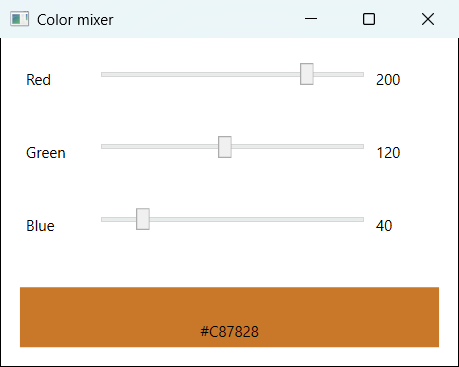
Wpf Color Mixer
Color mixer in WPF: three sliders, a rectangle that shows the color and its #RRGGBB code
cd samples/UsingDotNet/applications/WpfColorMixer then ring WpfColorMixer.ringSource code
# Color mixer in WPF: three sliders, a rectangle that shows the color and its #RRGGBB code

load "dotnet.ring"

using {
	"System"
	"System.IO"
	"System.Drawing"
	"System.Windows"
	"System.Windows.Controls"
	"System.Windows.Media"
	"System.Windows.Media.Imaging"
	"System.Windows.Shapes"
}

oWindow = ""
aSliders = []
aValues = []
oSwatch = ""
oCode = ""

func main

	oWindow = wpfWindow("Color mixer",380,300)
	oGrid = new Grid()
	oGrid.Margin = new Thickness(15,15,15,15)
	oWindow.Content = oGrid
	for nIndex = 1 to 4
		oGrid.RowDefinitions.Add(new RowDefinition())
	next
	for cName in ["Red","Green","Blue"]
		oRow = new StackPanel() {
			Orientation = "Horizontal"
			Margin = new Thickness(0,5,0,5)
		}
		oLabel = wpfLabel(cName)
		oLabel.Width = 60
		oRow.Children.Add(oLabel)
		oSlider = new Slider() {
			Minimum = 0
			Maximum = 255
			Width = 220
			setValueChangedEvent("mix()")
		}
		oRow.Children.Add(oSlider)
		oValue = wpfLabel("0")
		oRow.Children.Add(oValue)
		oGrid.Children.Add(oRow)
		oGrid.SetRow(oRow,len(aSliders))
		aSliders + oSlider
		aValues + oValue
	next
	oSwatch = new WpfRectangle() {
		Height = 80
		Margin = new Thickness(0,10,0,0)
	}
	oGrid.Children.Add(oSwatch)
	oGrid.SetRow(oSwatch,3)
	oCode = wpfLabel("")
	oCode.HorizontalAlignment = "Center"
	oGrid.Children.Add(oCode)
	oGrid.SetRow(oCode,3)
	oCode.VerticalAlignment = "Bottom"
	aSliders[1].Value = 200
	aSliders[2].Value = 120
	aSliders[3].Value = 40
	wpfRun(oWindow)

func hex2 nValue

	cText = upper(hex(floor(nValue)))
	if len(cText) < 2
		cText = "0" + cText
	ok
	return cText

func mix

	if len(aSliders) < 3 or not isobject(oSwatch)
		return
	ok
	cColor = "#" + hex2(aSliders[1].Value) + hex2(aSliders[2].Value) + hex2(aSliders[3].Value)
	for nIndex = 1 to 3
		aValues[nIndex].Content = "" + floor(aSliders[nIndex].Value)
	next
	oBrush = wpfBrush(cColor)
	oSwatch.Fill = oBrush
	oCode.Content = cColor